HelpHelpProperties and tenancies
The repairs register and response targets
Tenants report repairs with photos in their portal. Each one has a severity, a response target and a dated trail everyone can follow.
- Reviewed
- Read
- 4 min
Every repair a tenant reports in their portal, or that you record for them, goes on one register. Each has a kind, a severity, a response target and a trail of every change with who made it and when.
Who this is for: letting agencies and landlords.
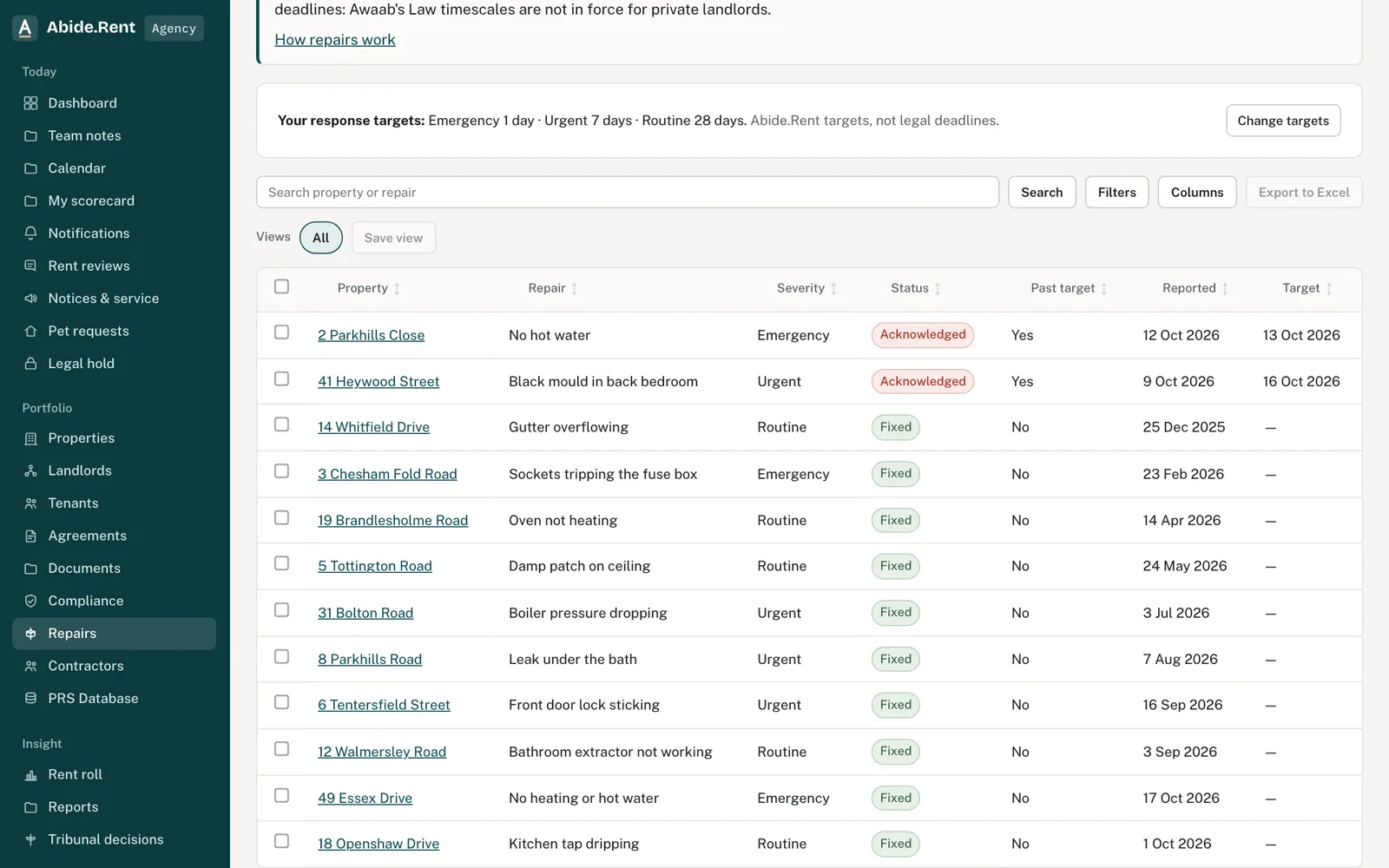
Repairs: targets at the top, every repair below.
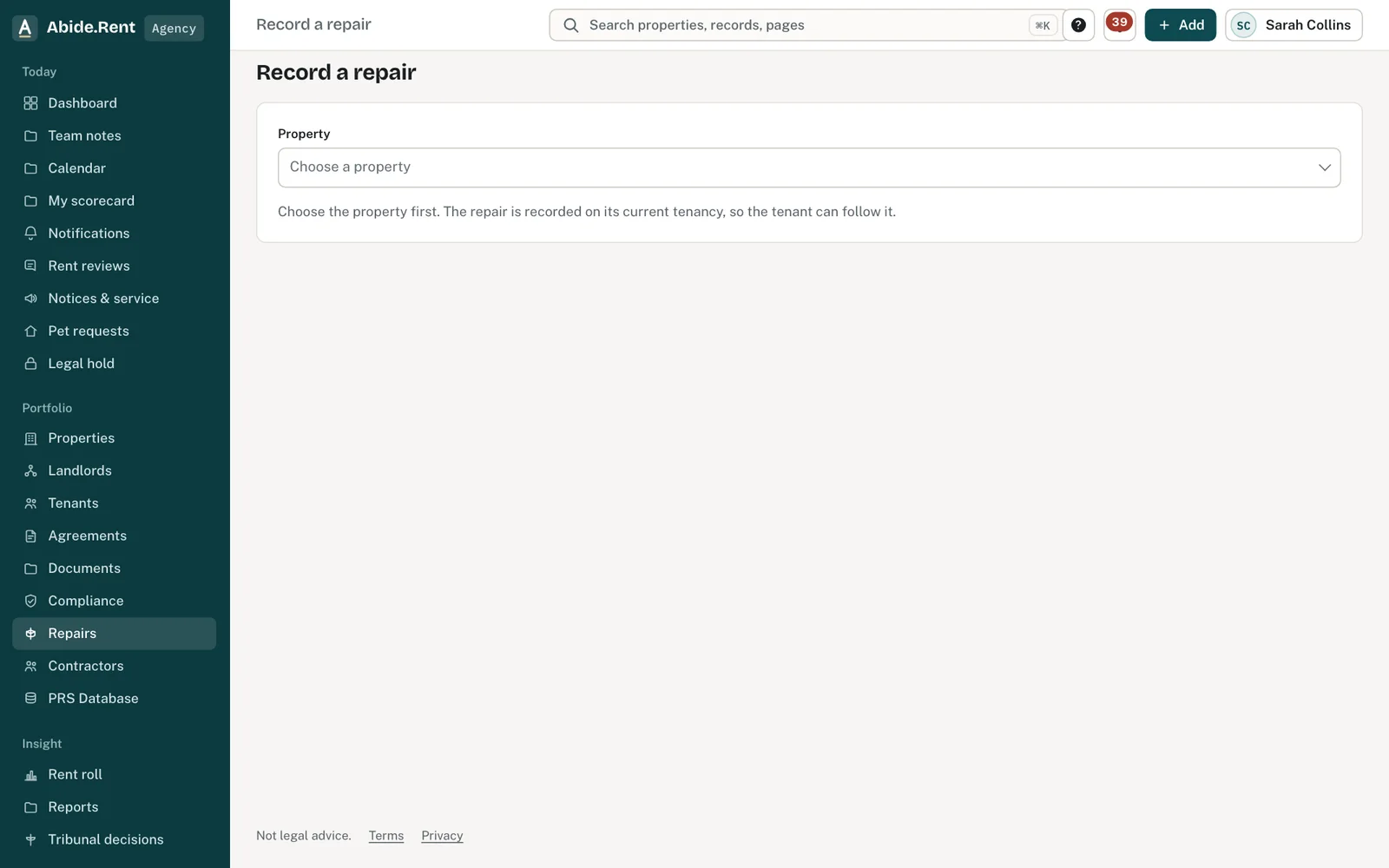
Record a repair: choose the property, then what is wrong and how urgent.
What you are deciding
How urgent each repair is, what to do next with it, and what response targets your account works to.
Your options
- Emergency. A danger to health or safety, or serious damage: a gas smell, no heating in cold weather, a major leak. The default target is 24 hours.
- Urgent. Affects daily life but is not dangerous: no hot water, a broken toilet where there is a second one. The default target is 7 days.
- Routine. Everything else: a dripping tap, a sticking door. The default target is 28 days.
- Change your targets. The account owner can set different targets under Repairs. New repairs use them; a repair already reported keeps the target it was given.
How to do it
- Open Repairs from the menu. Overdue repairs are flagged; filter by status, severity or property, or export the list to Excel.
- Open a repair to see what the tenant wrote, their photos and the trail.
- Change its status as it moves on: acknowledged, visit booked, in progress, fixed, closed. Add a note for the tenant with each change if it helps, such as the visit date.
- Use an internal note for anything only your team should see, such as what the landlord has approved.
- Select Send to contractor to email the job to one of your contractors.
Targets are yours, not the law's
The response targets are Abide.Rent's own, set by your account. They are not legal deadlines. Awaab's Law timescales for investigating and fixing hazards apply to social housing; they are not in force for private landlords, and Abide.Rent does not say they are. Each open repair still appears in your deadlines and calendar on its target date, and you are told once if it passes that date.
Who is told
A new repair goes to the agency where it manages the property, and to the landlord where the landlord deals with repairs. The tenant is told each time the status changes. Internal notes are never shown to the tenant or to a landlord in another account.
A worked example
On Wednesday 14 October 2026 at 07:50 a tenant at 12 Acacia Avenue reports "No hot water" as urgent, with two photos of the boiler display. With the default targets, Abide.Rent shows it as due to be fixed by 21 October 2026. At 09:10 the agency marks it acknowledged and sends it to Prestwich Plumbing & Heating, who book a visit for Thursday 15 October 2026. The engineer replaces a diverter valve for £185.00 and marks the job done; the agency marks the repair fixed and the tenant is told straight away.
What Abide.Rent does for you
- Keeps every report, photo, status change and note, with who and when.
- Shows each open repair in your deadlines and calendar on its target date.
- Tells you once when a repair passes its target, and tells the tenant when its status changes.
- Lets you export the register to Excel.
If something goes wrong
- “Choose a status.” / “Write the note before saving.”
What to do: Pick the new status and write the note. - “Only an emergency repair can be booked as an emergency visit.”
What to do: Change the severity to emergency first, if it is one. - A repair keeps showing in deadlines
What to do: Mark it fixed or closed. - The tenant was not told
What to do: Status changes tell the tenant; internal notes do not.
Common mistakes
- Calling a response target a legal deadline in a letter to a tenant. It is your own standard.
- Writing something for your team only in a note without ticking Internal.
- Leaving a repair open after it is fixed: it keeps showing in deadlines until it is marked fixed or closed.
What to do next
More in Properties and tenancies
 Damp, mould and emergencies: Awaab's Law stages (proposed)Choose to work to the Awaab's Law timescales on damp, mould and emergency repairs. They apply to social housing; for private renting they are proposed, not law yet.
 Record a deposit, its protection and the prescribed informationRecord the deposit amount, the date it was received, the scheme, the date it was protected and the date the prescribed information was given.
 Add a tenancy and joint tenantsRecord who lives in a property, the rent and the start date. Add joint tenants, permitted occupiers and guarantors to the same tenancy.