HelpHelpProperties and tenancies
Self-managed and mixed portfolios
Manage some properties yourself and use an agent for others. The service level sits on each property, so a mix is normal.
- Reviewed
- Audience
- Landlords
- Read
- 2 min
Self-managed means you run the tenancy yourself, with no agent. You propose and approve rent reviews, generate notices and record service on the same record.
Who this is for: landlords.
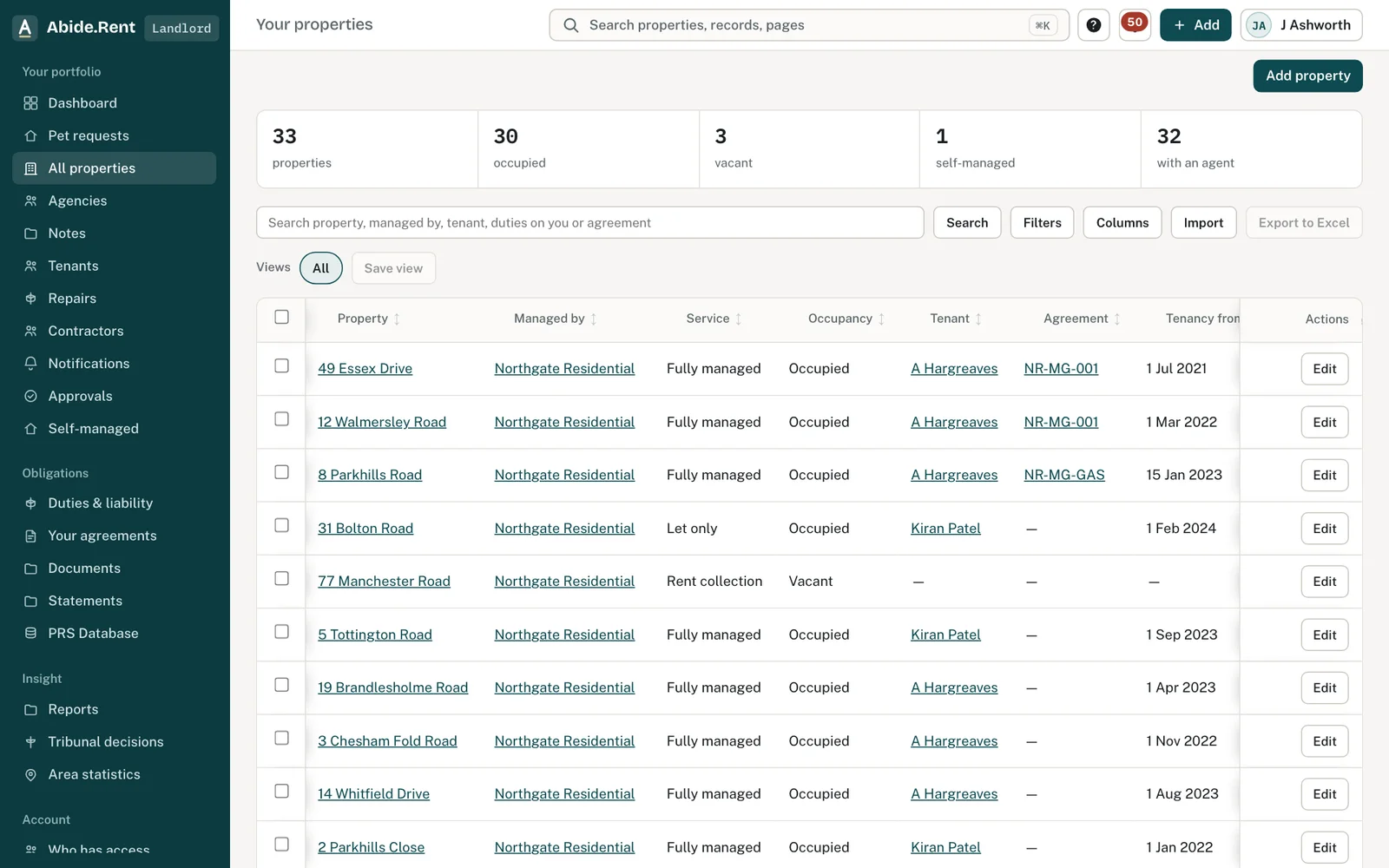
A mixed portfolio: some managed by an agent, some by you.
What you are deciding
Which of your properties you manage yourself, and which an agent manages.
Your options
- Self-managed. You do everything in your own account. There is no separate approval step.
- Managed by an agent. The agent's service level decides what they do; approvals come to you.
- Rent-to-rent. If you are the immediate landlord of the person living there, that tenancy is self-managed. Record it as self-managed, not as an agent service.
How to do it
- Open Your properties.
- Read the Service and Managed by columns for each property.
- Select self-managed at the top to see only the properties you manage yourself.
- Open a self-managed property to propose an increase, record certificates or serve a notice.
A worked example
J Ashworth owns 33 properties. Northgate Residential fully manages 32 of them; he manages 4 Kersal Vale himself. On Thursday 22 October 2026 he filters Your properties to self-managed, opens 4 Kersal Vale and proposes a new rent. There is no approval step: he generates Form 4A, signs it and records service himself.
What Abide.Rent does for you
- Shows who manages each property and the service level.
- Removes the approval step on self-managed properties.
- Keeps the history when a property moves between self-managed and an agent.
If something goes wrong
- The approval step appears on a property you manage yourself
What to do: The property is set to an agent's service level. Change the service on its Management tab. - “Instruction sits with the managing account.”
What to do: Only the account that manages the property can change its service.
Common mistakes
- Recording a rent-to-rent let as an agent service: if you are the immediate landlord, it is self-managed.
What to do next
More in Properties and tenancies
 Moving in and out, and settling the depositChecklists both sides sign off, the details the law asks to be on record, and deposit deductions the tenant answers one by one.
 Add a tenancy and joint tenantsRecord who lives in a property, the rent and the start date. Add joint tenants, permitted occupiers and guarantors to the same tenancy.
 Damp, mould and emergencies: Awaab's Law stages (proposed)Choose to work to the Awaab's Law timescales on damp, mould and emergency repairs. They apply to social housing; for private renting they are proposed, not law yet.