HelpHelpProperties and tenancies
Vacant, next tenancy, end of tenancy
A property stays on file between tenancies. End a tenancy, keep the property vacant, or set up the next tenancy while the current one runs.
- Reviewed
- Read
- 3 min
The property is the file; tenancies come and go on it. Ending a tenancy does not delete anything, and a new tenancy is a new record.
Who this is for: letting agencies and landlords.
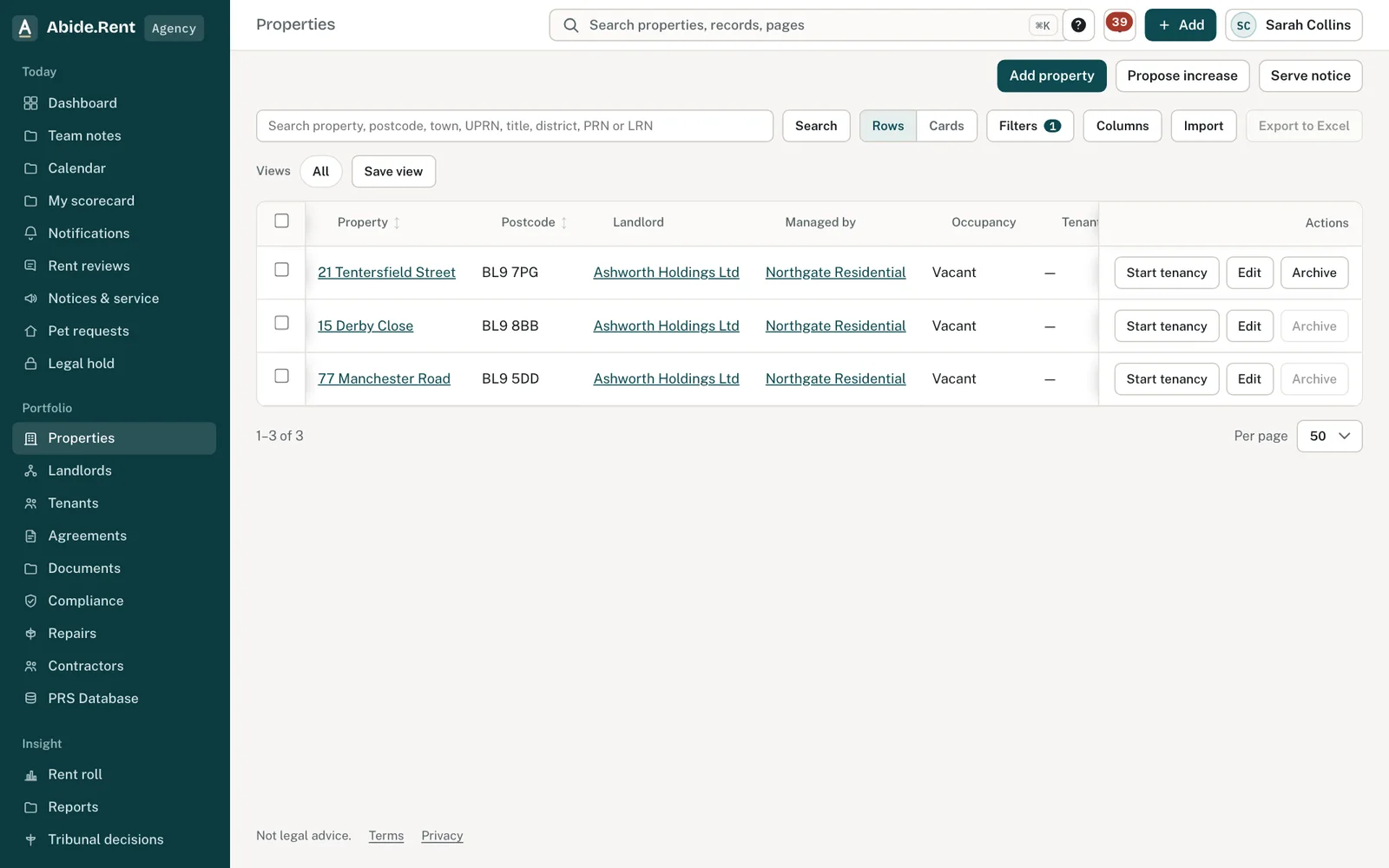
Properties filtered to vacant.
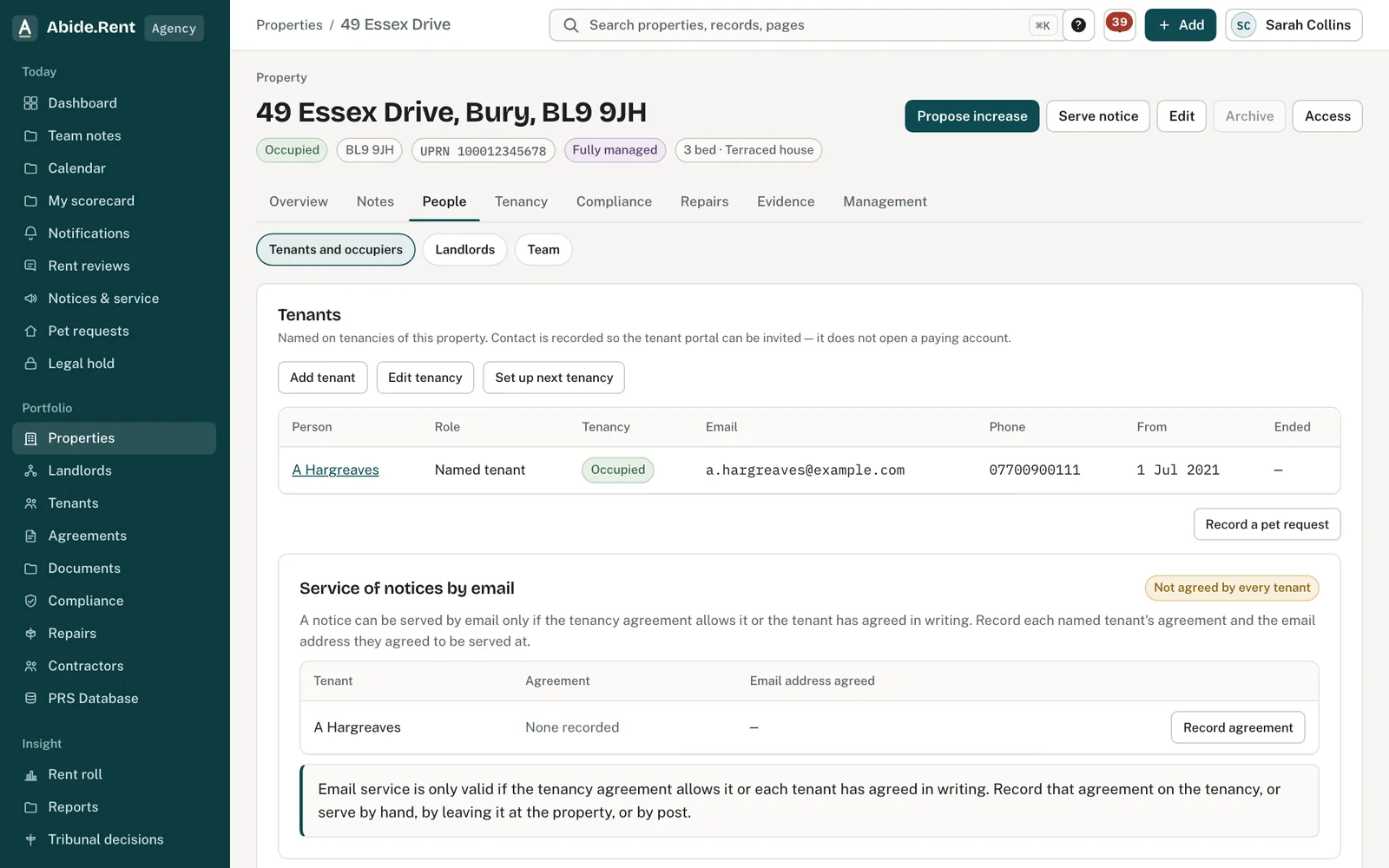
People: Set up next tenancy, alongside the current tenants.
What you are deciding
Whether the property is ending a tenancy, sitting vacant, or about to be let again.
Your options
- End the current tenancy. Record the end date on People → Edit tenancy. It cannot be before the tenancy started.
- Set up the next tenancy now. Use Set up next tenancy while the current one runs. Its start date must be after the current tenancy ends.
- Start a tenancy on a vacant property. Use Start tenancy on the People tab: tenants, rent and start date.
- Withdraw a tenancy that has not started. Withdraw it instead of recording an end date.
How to do it
- Open the property and choose People.
- To end the tenancy, select Edit tenancy, enter the end date and save.
- To let it again, select Set up next tenancy (or Start tenancy if it is vacant).
- Add the tenants, the rent and the start date.
- Work through Tenancy → Moving in for the new tenancy.
Re-letting after a Ground 1 or 1A notice
If a notice was given on Ground 1 or 1A, the property cannot be re-let for twelve months. Abide.Rent shows the date and refuses a new tenancy before it.
A worked example
The tenancy at 8 Parkhills Road ends on Saturday 31 October 2026. On Monday 5 October the agency records the end date and selects Set up next tenancy: two new tenants, £980.00 a month, starting Sunday 1 November 2026. The old tenancy, its notices and its rent history stay on the property.
What Abide.Rent does for you
- Keeps every past tenancy, with its people and documents, on the property.
- Checks the next tenancy starts after the current one ends.
- Shows vacant properties in a filter on Properties.
If something goes wrong
- “The current tenancy ends on … The next tenancy must start after that date.”
What to do: Choose a start date after the current tenancy's end date, or record the end date first. - “This tenancy has not started yet. Withdraw it instead of recording an end date.”
What to do: Withdraw the tenancy. - “The end date … cannot be before the tenancy started …”
What to do: Check the end date. - A new tenancy is refused after a Ground 1 or 1A notice
What to do: The property cannot be re-let until the date shown. See re-letting after a Ground 1 or 1A notice.
Common mistakes
- Recording an end date on a tenancy that never started; withdraw it instead.
- Editing the current tenancy's tenants to start a new let. Set up the next tenancy instead, so each tenancy keeps its own people.
What to do next
More in Properties and tenancies
 Add a tenancy and joint tenantsRecord who lives in a property, the rent and the start date. Add joint tenants, permitted occupiers and guarantors to the same tenancy.
 Damp, mould and emergencies: Awaab's Law stages (proposed)Choose to work to the Awaab's Law timescales on damp, mould and emergency repairs. They apply to social housing; for private renting they are proposed, not law yet.
 Is it fixed? The tenant's answer on a repairWhen you mark a repair fixed, the tenant is asked whether it is. A yes is recorded; still a problem opens it again.