HelpHelpProperties and tenancies
Import properties from a spreadsheet
Bring in many properties at once from a CSV or Excel file, matching your columns to ours.
- Reviewed
- Read
- 4 min
Use an import when you have more than a handful of properties. You need a CSV or Excel file with one row for each property.
Who this is for: letting agencies and landlords.
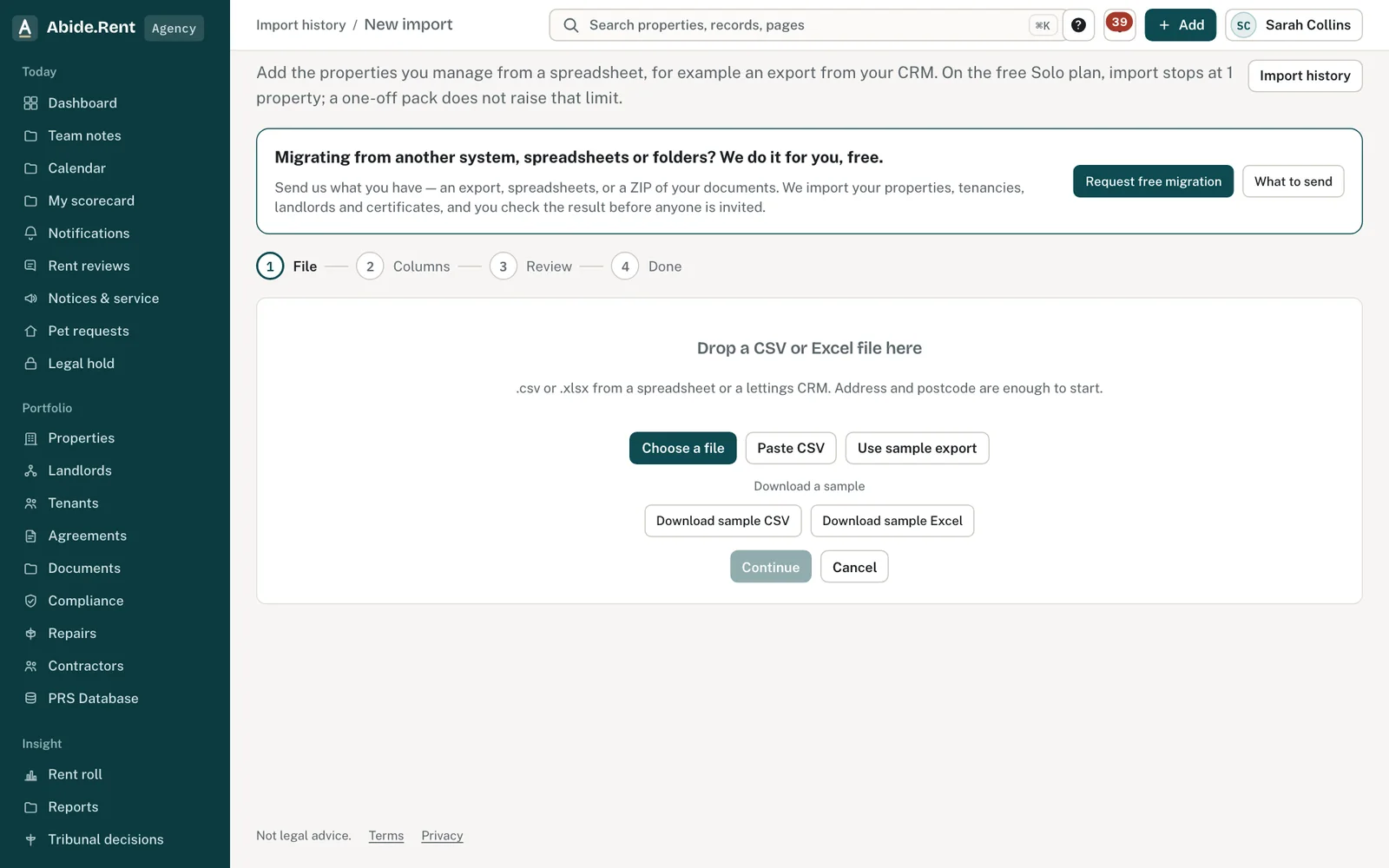
New import: file, columns, review and done.
What you are deciding
Which columns to bring in, and what to do with rows that do not import.
Your options
- Address and postcode only. Every row needs these two. You get the properties in quickly and add tenancies and dates afterwards.
- Include rent, tenancy start and landlord. Each row arrives with its tenancy, so rent review dates and reminders work from the first day.
- Include past dates. Bring in the day each gas safety check, EICR and EPC was done and the day the tenant was given a copy. The record keeps those days, not the day of the import, and marks them as entered later.
- Fix failed rows and import again. A row that matches a property you already hold updates it. It does not create a second one.
How to do it
- Select Add at the top of any page, then Import properties.
- Drop your file onto the page, or choose it from your computer. To see the layout first, download the sample file.
- Match your columns to ours. Town, bedrooms, property type, current rent, tenancy start date, last increase date, landlord, and the expiry, check date and date given to the tenant for the gas safety record, EICR and EPC are optional. A check date or date given needs that record's expiry too. Set any column you do not want to Ignore.
- Check the preview of your rows, then start the import.
- When it finishes you are shown how many rows were imported and any that were not, with the reason for each.
A worked example
An agency exports 86 rows from its old system on Friday 2 October 2026. It matches address, postcode, rent, tenancy start date and landlord, and ignores an internal reference column. 83 rows import. Three are left out: two have no postcode and one has a rent of "TBC". The agency downloads the three rows with their reasons, corrects them in the spreadsheet and imports that file again. All 86 properties are now listed, 79 of them with a tenancy.
What Abide.Rent does for you
- Lets you match your own column names without changing your file.
- Tells you, row by row, why anything was left out, and lets you download those rows.
- Keeps each import and the file you used under Import history.
If something goes wrong
- “A new property needs … Add that column to the file.”
What to do: Add the missing column (for example postcode) and import again. Download the sample to see every column. - “Bedrooms “…” must be a whole number (0 for a studio).”
What to do: Use a number in the bedrooms column, 0 for a studio. - “Rent frequency “…” is not recognised. Use monthly, weekly, fortnightly or four-weekly.”
What to do: Fix the frequency column to one of those words. - “A … check or given date needs its expiry date too (…_expires_on).”
What to do: Add the expiry date column for that certificate. - “Landlord “…” was not added: add a landlord_email column so they can be identified and invited.”
What to do: Add a landlord_email column and import again. - “The CSV could not be read … Save it as CSV and try again.”
What to do: Save the sheet as CSV (UTF-8) from Excel or Google Sheets, or upload the .xlsx file. - “Rows … onwards would not fit: split the file.”
What to do: Split the file into smaller files and import each.
Common mistakes
- Importing a file with merged header cells or totals rows. One header row, then one row per property.
- Putting the whole address in one column with the postcode. The postcode needs its own column.
- Importing twice to fix a typo. Correct the property itself, or re-import only the corrected row.
- Leaving out the check date for a safety record. Without it, the 28 days to give the tenant a copy are counted from the day of the import.
What to do next
More in Properties and tenancies
 Add a tenancy and joint tenantsRecord who lives in a property, the rent and the start date. Add joint tenants, permitted occupiers and guarantors to the same tenancy.
 Moving your tenants, deposits and dates across in an importAn import can bring each tenancy's named tenants, the deposit and its protection, the dates documents were given and the Right to Rent check. It sends no emails and invites nobody.
 Add a propertyAdd one property by hand, with or without its tenancy, in a couple of minutes.