HelpHelpProperties and tenancies
Add a property
Add one property by hand, with or without its tenancy, in a couple of minutes.
- Reviewed
- Read
- 3 min
Use this when you have one property to add. If you have several, import a spreadsheet instead.
Who this is for: letting agencies and landlords.
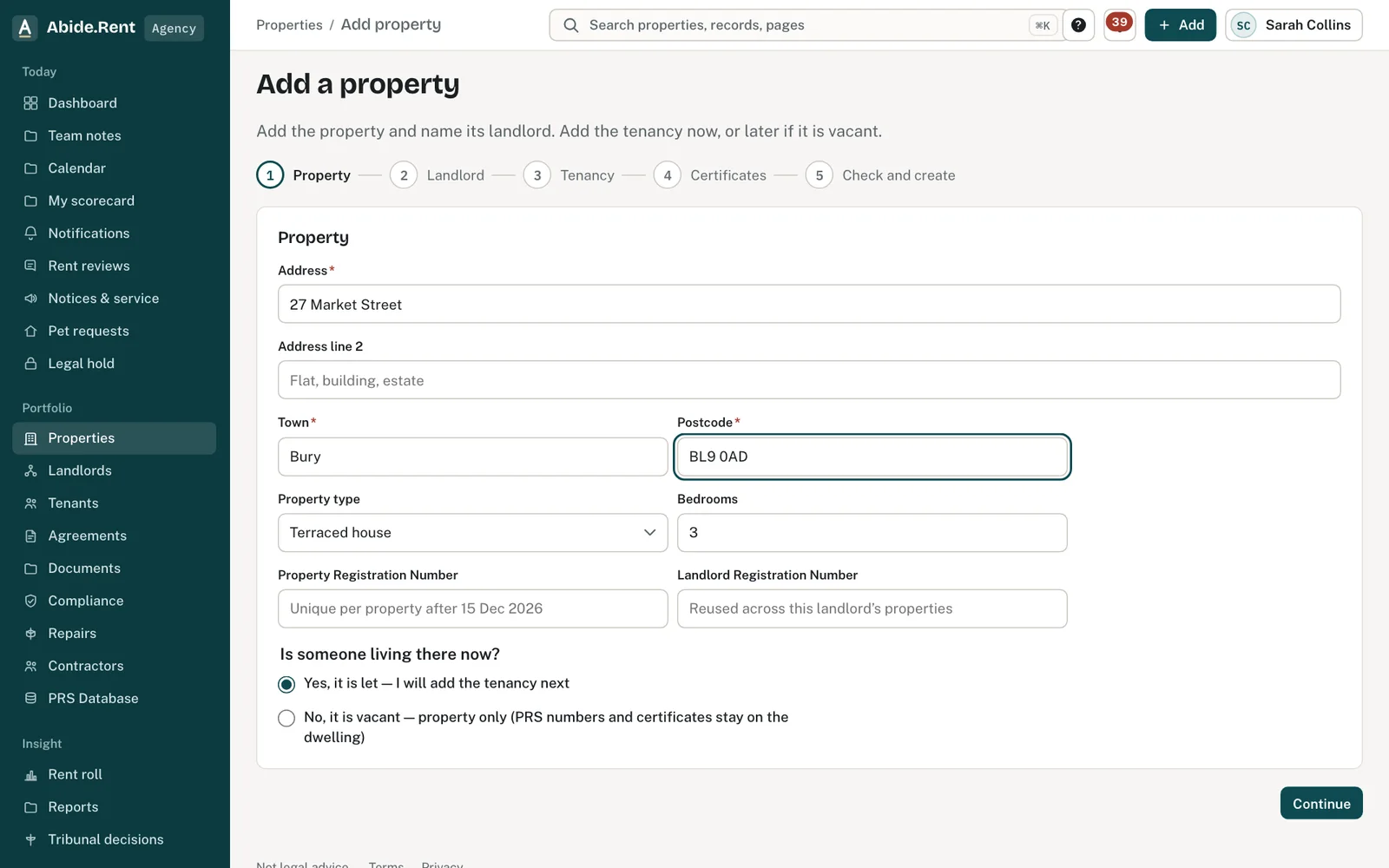
Step 1: the property. Then the landlord, the tenancy and certificate dates.
What you are deciding
Whether to add the property with its tenancy now, or on its own and add the tenancy later.
Your options
- Property with its tenancy. The tenant is invited to their free portal, and rent review and notice dates can be worked out straight away.
- Property on its own. Right for an empty property. Nothing is charged for it, and you add the tenancy from the property when it is let.
- Import instead. Quicker for more than a handful. Each row becomes a property, with its tenancy if the row has one.
How to do it
- Select Add at the top of any page, then Add property. Any property picker also offers Add a property when you have none yet, or when your search finds nothing.
- Enter the address, town and postcode, then choose the property type and the number of bedrooms.
- If you are a letting agent, choose the landlord. Pick one you have already added, or enter their name and email address. A landlord you add by email is invited to see their property.
- If someone lives there now, keep This property has a tenancy ticked and enter the tenant's name, email address and phone number, the monthly rent and the date the tenancy started. If the property is empty, untick it.
- Add any compliance dates you have to hand: gas safety, EICR and EPC. These are optional.
- Select Save property.
A worked example
An agent adds 12 Market Street, Leeds, LS1 4AB, a two-bedroom flat, on Thursday 1 October 2026. The landlord is entered by email and is invited to see that property. The tenancy is entered with a rent of £1,250.00 a month and a start date of Saturday 1 March 2025, with a gas safety expiry of Friday 13 November 2026. The property's page now shows the tenancy, a reminder set for 30 days before the gas safety record expires, and Saturday 28 February 2026, 52 weeks after the start, as the earliest date a new rent could have started.
What Abide.Rent does for you
- Checks the postcode is in a UK format before anything is saved.
- Invites the landlord and the tenant from the email addresses you enter.
- Brings you back to the page you came from, with the new property chosen, when you add one from a property list.
If something goes wrong
- “A dwelling with this … is already on another workspace. Handover or claim it — do not create a second property.”
What to do: The property is already in Abide.Rent under another account. Use Change agent or Take over instead of adding it again. - “No matching property found. Choose one.”
What to do: Pick the address from the list, or check the postcode. - “Region not known: check the postcode or set the region”
What to do: Check the postcode is right, or set the PRS region on the property's Edit tab. - “Rent must be more than £0.00.”
What to do: Enter the monthly or weekly rent.
Common mistakes
- Adding the same property twice. Search for the address first; a property picker shows your properties as soon as you open it.
- Leaving This property has a tenancy ticked for an empty property, then inventing details to get past it. Untick it instead.
- Entering a yearly rent as the monthly rent.
What to do next
More in Properties and tenancies
 Add a tenancy and joint tenantsRecord who lives in a property, the rent and the start date. Add joint tenants, permitted occupiers and guarantors to the same tenancy.
 Moving your tenants, deposits and dates across in an importAn import can bring each tenancy's named tenants, the deposit and its protection, the dates documents were given and the Right to Rent check. It sends no emails and invites nobody.
 Import properties from a spreadsheetBring in many properties at once from a CSV or Excel file, matching your columns to ours.