HelpHelpProperties and tenancies
Record a deposit, its protection and the prescribed information
Record the deposit amount, the date it was received, the scheme, the date it was protected and the date the prescribed information was given.
- Reviewed
- Read
- 2 min
A deposit belongs to the tenancy, not to the property, so it is recorded with the tenancy.
Who this is for: letting agencies and landlords.
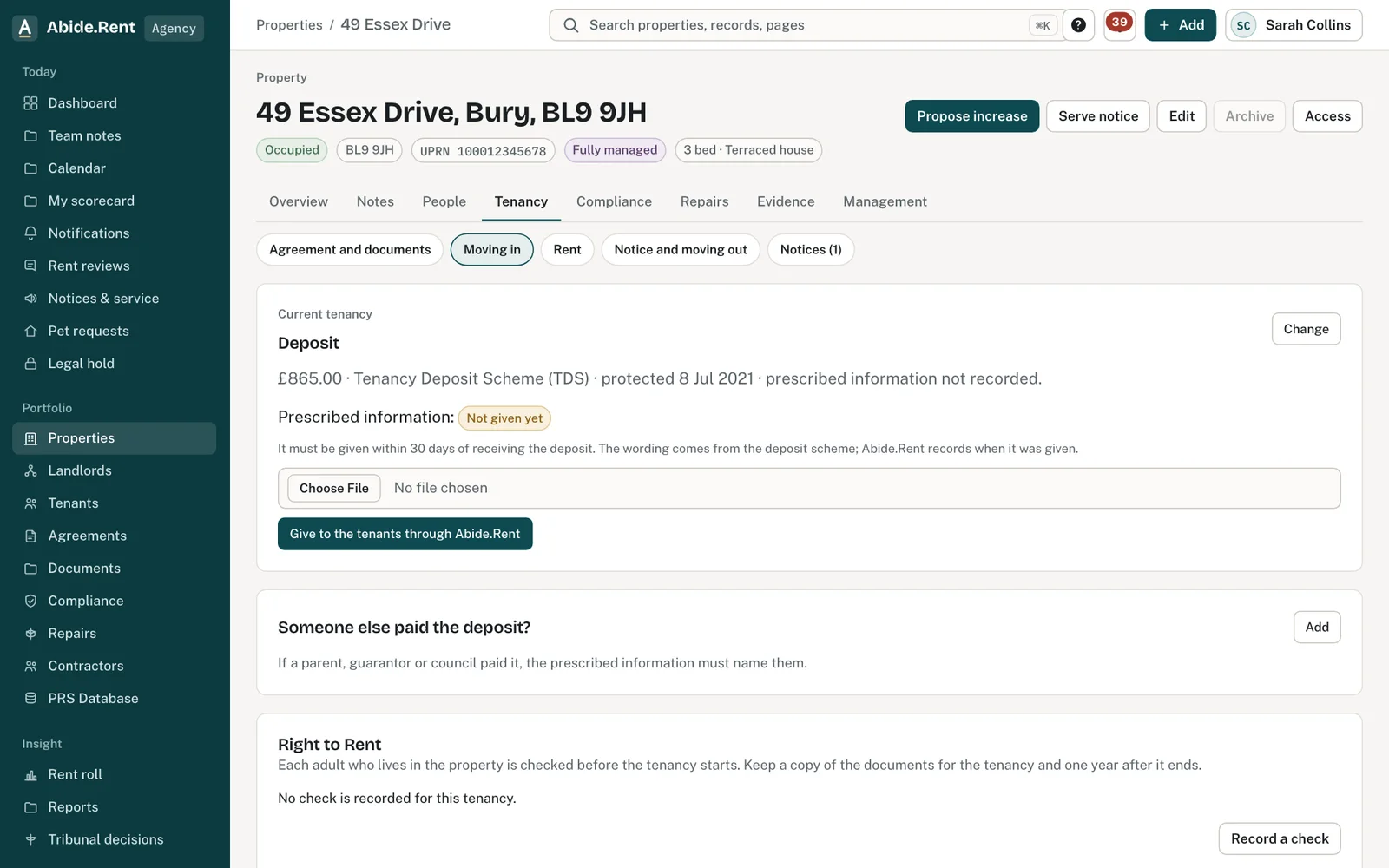
The deposit section: protected, and the prescribed information given.
What you are deciding
What to record about the deposit, and when.
Your options
- A deposit is held. Record the amount and the date it was received. Abide.Rent counts 30 days from that date and lists the deadline until a protection date is recorded.
- No deposit was taken. Say so. The tenancy then shows that no deposit is held, and no deadline is counted.
- Not recorded yet. The tenancy shows the deposit as not recorded, so you can see at a glance which tenancies still need an answer.
How to do it
- Open the property and go to the tenancy.
- Open Deposit and choose whether a deposit is held.
- Enter the amount in pounds and the date it was received.
- Choose the scheme that holds it and enter the date it was protected.
- Enter the date the prescribed information was given to the tenant.
- Save.
A worked example
A tenancy begins on Monday 2 November 2026 and the agent receives a deposit of £1,442.00 the same day. Abide.Rent shows a deadline of Wednesday 2 December 2026, 30 days on. The agent protects the deposit with a scheme on Thursday 5 November 2026 and gives the tenant the prescribed information on Friday 6 November 2026. Once both dates are recorded the deadline is shown as met, and the tenant's portal shows the scheme and both dates.
What Abide.Rent does for you
- Counts 30 days from the date the deposit was received and shows the deadline with your others.
- Shows the tenant the amount, the scheme and the dates on their tenancy.
- Keeps the dates with the tenancy for as long as the record exists.
If something goes wrong
- “Enter the deposit amount.”
What to do: Type the amount in pounds and pence. - “Record the deposit as held before giving the prescribed information.”
What to do: Save the deposit first, then give the prescribed information. - “Attach the prescribed information document from the deposit scheme (PDF) before giving it to the tenants.”
What to do: Download the prescribed information from the scheme and attach it as a PDF. - “Enter the address of the person who paid the deposit.”
What to do: If someone else paid the deposit, give their address: the prescribed information must name them.
Common mistakes
- Recording the protection date and forgetting the prescribed information date. They are two separate dates.
- Entering the date the tenancy began instead of the date the money was received.
- Assuming Abide.Rent protects the deposit. It records what you tell it and does not contact the scheme.
What to do next
More in Properties and tenancies
 Damp, mould and emergencies: Awaab's Law stages (proposed)Choose to work to the Awaab's Law timescales on damp, mould and emergency repairs. They apply to social housing; for private renting they are proposed, not law yet.
 The repairs register and response targetsTenants report repairs with photos in their portal. Each one has a severity, a response target and a dated trail everyone can follow.
 Add a tenancy and joint tenantsRecord who lives in a property, the rent and the start date. Add joint tenants, permitted occupiers and guarantors to the same tenancy.