Upload a certificate and record its expiry date
Add a gas safety, EICR or EPC certificate to a property and be reminded before it expires.
- Reviewed
- Read
- 2 min
A certificate is added to the property it belongs to. The date is what drives the reminder; the file is your copy.
Who this is for: letting agencies and landlords.
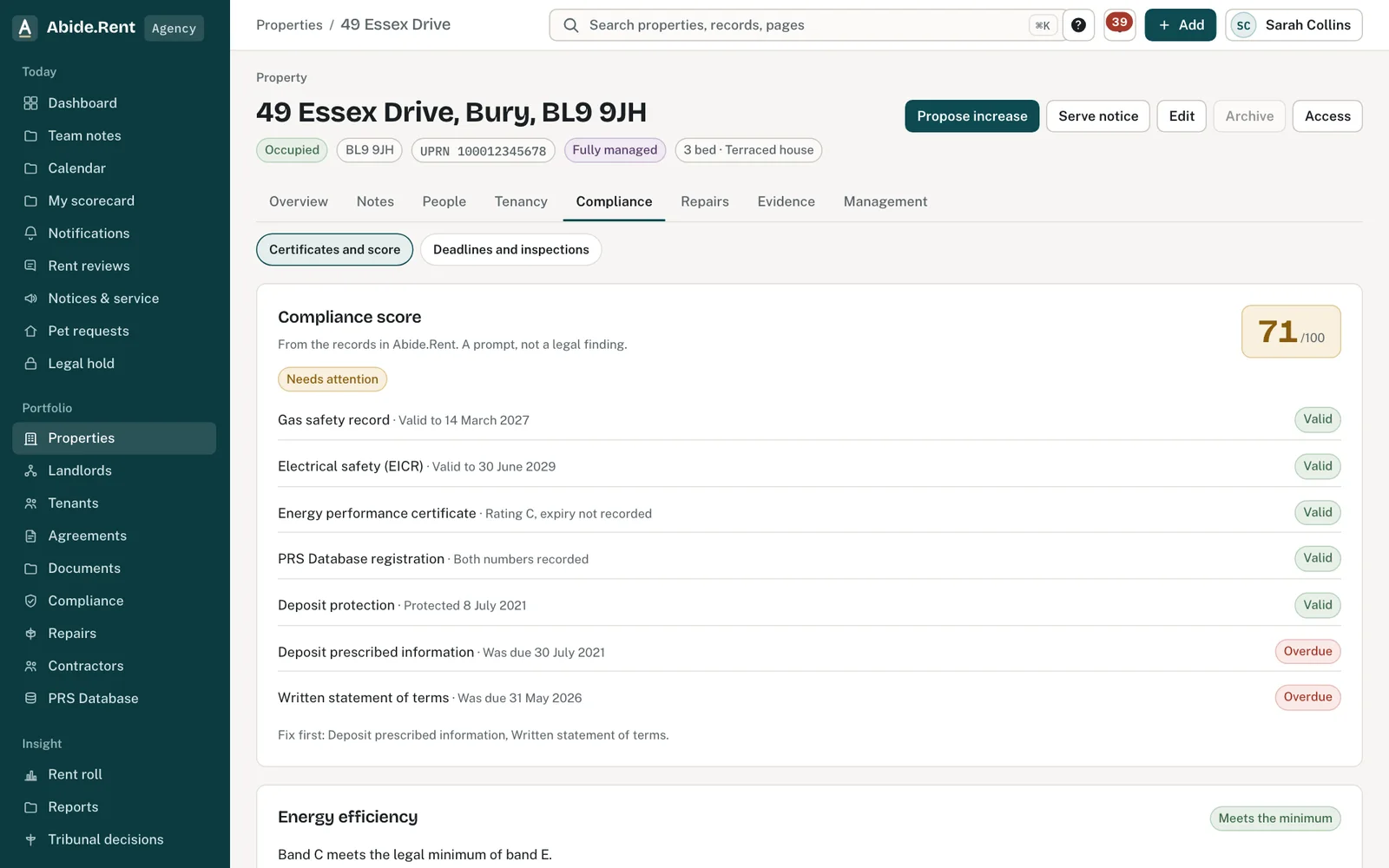
Add a certificate: type, dates and the PDF.
What you are deciding
Whether to record the date alone, or the date with the certificate itself.
Your options
- Date only. The reminder works. There is no file to show a landlord, a tenant or a tribunal later.
- Date and PDF. The certificate is kept with the property, and can be downloaded by anyone who has access to it.
- A newer certificate of the same type. It becomes the current one. The older one is kept under Previous certificates.
How to do it
- Open the property and select the Compliance tab.
- Select Add certificate.
- Choose the type: gas safety, EICR or EPC.
- Enter the date it expires. Add the certificate number if you have it. For an EPC you can also enter the rating.
- Attach the certificate as a PDF if you have it. The date can be saved without the file.
- Select Save certificate.
A worked example
On Thursday 5 November 2026 an agent uploads a new gas safety record, number GS-48213, for 12 Market Street with an expiry date of Friday 5 November 2027. The file is a 240 KB PDF. The property's Compliance tab now shows gas safety as current to 5 November 2027, the previous record is listed below it, and a reminder is set for Wednesday 6 October 2027.
What Abide.Rent does for you
- Refuses a file that is not a PDF, and says so, before anything is saved.
- Keeps previous certificates instead of overwriting them.
- Keeps a certificate that is part of a served notice or a legal hold from being deleted.
If something goes wrong
- “Give the date of the check.”
What to do: Enter the date on the certificate. - “The date of the check cannot be in the future.”
What to do: Check the date. - “The date of the check is more than ten years ago. Check the year.”
What to do: Check for a typing mistake in the year. - “The expiry date must be after the date of the check.”
What to do: Check both dates. - “That file is not a PDF. Upload the certificate or agreement as a PDF.”
What to do: Save the certificate as a PDF and upload again.
Common mistakes
- Uploading a photo of the certificate. Save or scan it as a PDF first.
- Choosing the wrong type, so the reminder is counted against the wrong certificate.
What to do next
Keep reading
All help articlesMore in Compliance
 Contractors and the jobs you send themKeep your own list of contractors with their trades, areas, registrations and insurance, and send them jobs from a repair or a renewal.
 Gas safety, EICR and EPC datesRecord when each certificate expires and be reminded 30 days before. One page lists every date across your properties.
 How the compliance score worksA score out of 100 for each property and your portfolio, from the records Abide.Rent can see. Each record that applies counts equally.