Agreements and service levels
Record the management agreement and the level of service for each property: let only, rent collection, fully managed or self-managed.
- Reviewed
- Read
- 3 min
The service level is set for each property, under an agreement. One landlord can have a fully managed flat and a let-only house with the same agency.
Who this is for: letting agencies and landlords.
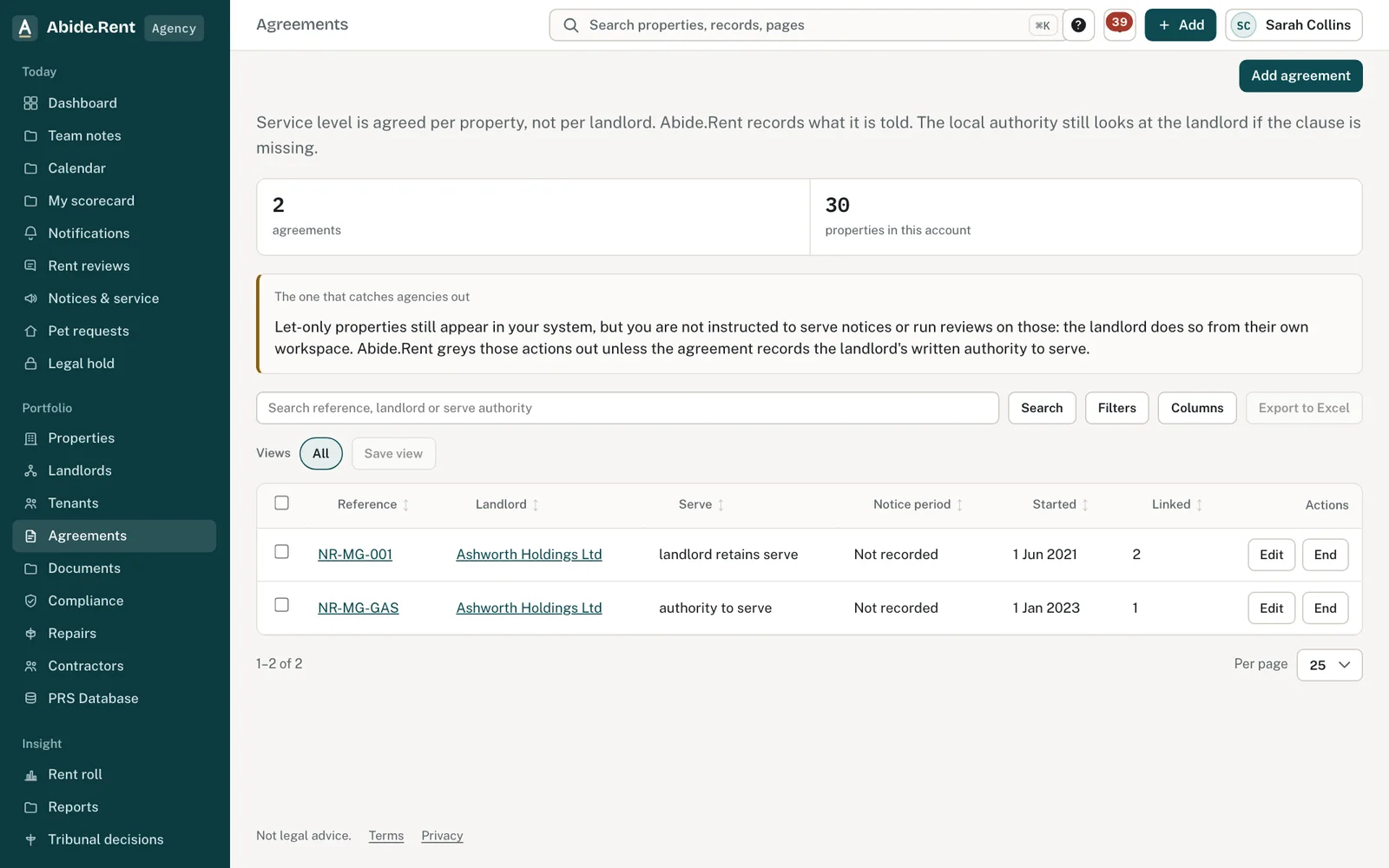
Agreements: one row each, with authority to serve and linked properties.
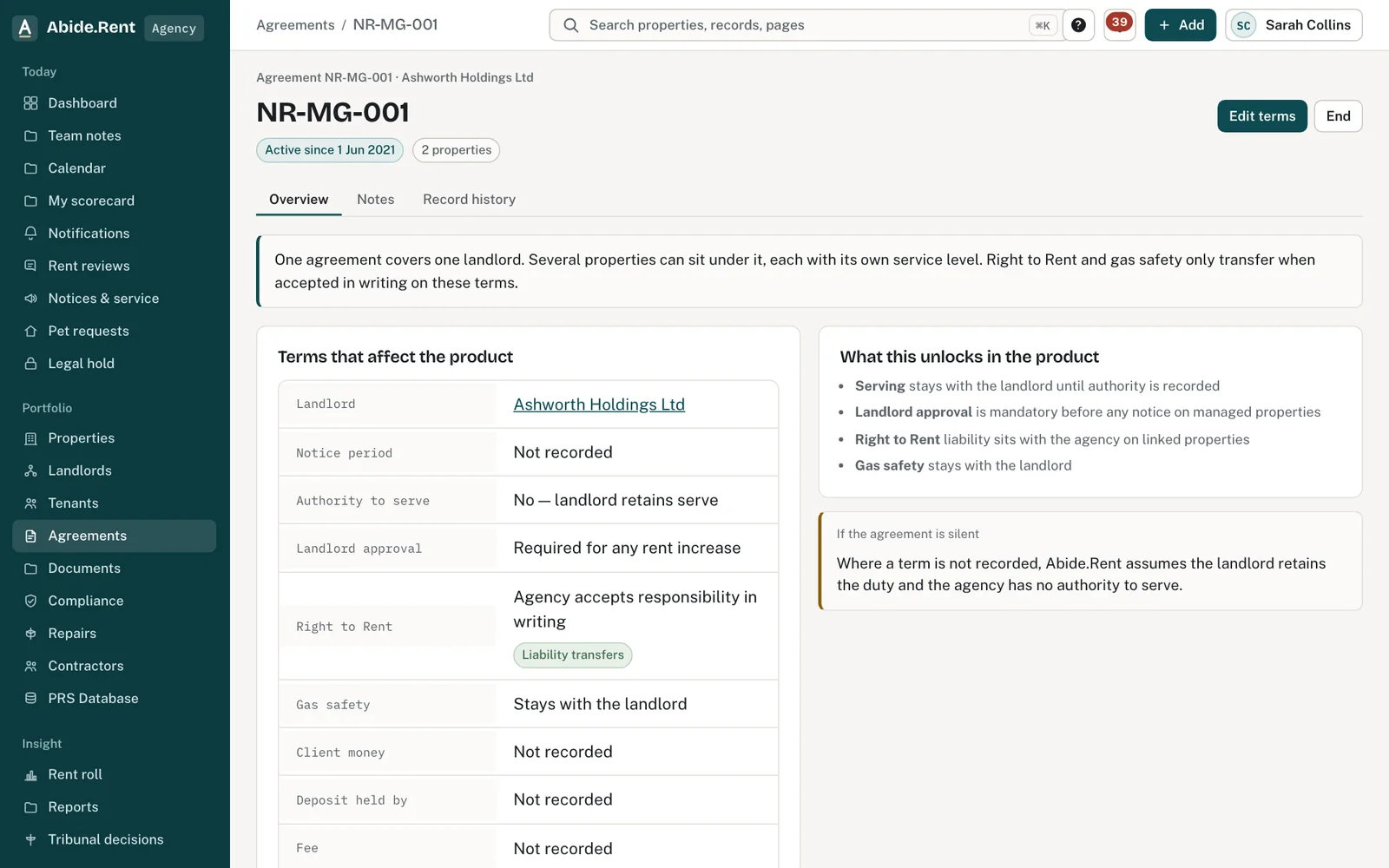
An agreement: terms, what it unlocks, signing and the properties on it.
What you are deciding
Which level of service applies to each property, and what the agreement says about approvals and duties.
Your options
- Fully managed. The agency looks after the property day to day, prepares rent reviews and generates notices, in the landlord's name. The landlord can be asked to approve each increase.
- Rent collection. The agency collects rent and deals with arrears first. Most certificates and repairs stay with the landlord.
- Let only. The agency finds the tenant and draws up the tenancy. The landlord then runs rent reviews and serves notices from their own Abide.Rent account. The agency can do so only if the agreement records the landlord's written authority to serve.
- Self-managed. No agent. The landlord keeps the records and serves their own notices.
How to do it
- Open Agreements and select New agreement.
- Choose the landlord and the properties the agreement covers.
- Record the terms that matter here: the fee, whether the landlord approves rent increases, and whether Right to Rent or gas safety has been accepted in writing.
- Attach the signed agreement as a PDF if you hold it.
- Set the service level on each property the agreement covers.
A worked example
Fern Lettings agrees terms with a landlord on Tuesday 27 October 2026 for two properties: 12 Market Street, fully managed, and 3 Mill Lane, let only. The agreement says the landlord approves every rent increase. From Monday 2 November 2026 the agency can prepare a rent review for Market Street and must send it to the landlord before the notice is generated. For Mill Lane the agency records the tenancy; the landlord prepares and serves any notice from their own Abide.Rent account, because the agreement records no written authority for the agency to serve.
What Abide.Rent does for you
- Keeps the agreement, its terms and its PDF with the properties it covers.
- Leaves notices and rent reviews on a let-only property to the landlord's own Abide.Rent account, unless the agreement records the landlord's written authority to serve.
- Sends a rent review to the landlord for approval where the agreement asks for it.
If something goes wrong
- “The service level sits with the managing account”
What to do: Only the managing account sets it. - Notice actions are unavailable on some properties
What to do: They are let only, or the agreement does not record authority to serve.
Common mistakes
- Setting one service level for a landlord and assuming it applies to all their properties. It is set property by property.
- Recording terms from memory. Attach the agreement so the wording is there to read.
- Changing agent by editing the service level. A change of agent is a handover the new agency accepts.
What to do next
More in Compliance
 The monthly compliance statement for each landlordOn the 1st of each month every landlord client gets a statement for the month just ended, in your agency's name. You can also prepare and send any of the last twelve months by hand.
 Which duties can an agent take on?Two duties can be taken on by an agent through a written term: Right to Rent checks and gas safety. The rest stay with the landlord.
 Contractors and the jobs you send themKeep your own list of contractors with their trades, areas, registrations and insurance, and send them jobs from a repair or a renewal.