The monthly compliance statement for each landlord
On the 1st of each month every landlord client gets a statement for the month just ended, in your agency's name. You can also prepare and send any of the last twelve months by hand.
- Reviewed
- Read
- 2 min
An agency's best evidence of the work it does is a regular, factual statement to each landlord. Abide.Rent writes it from the records you already keep.
Who this is for: letting agencies and landlords.
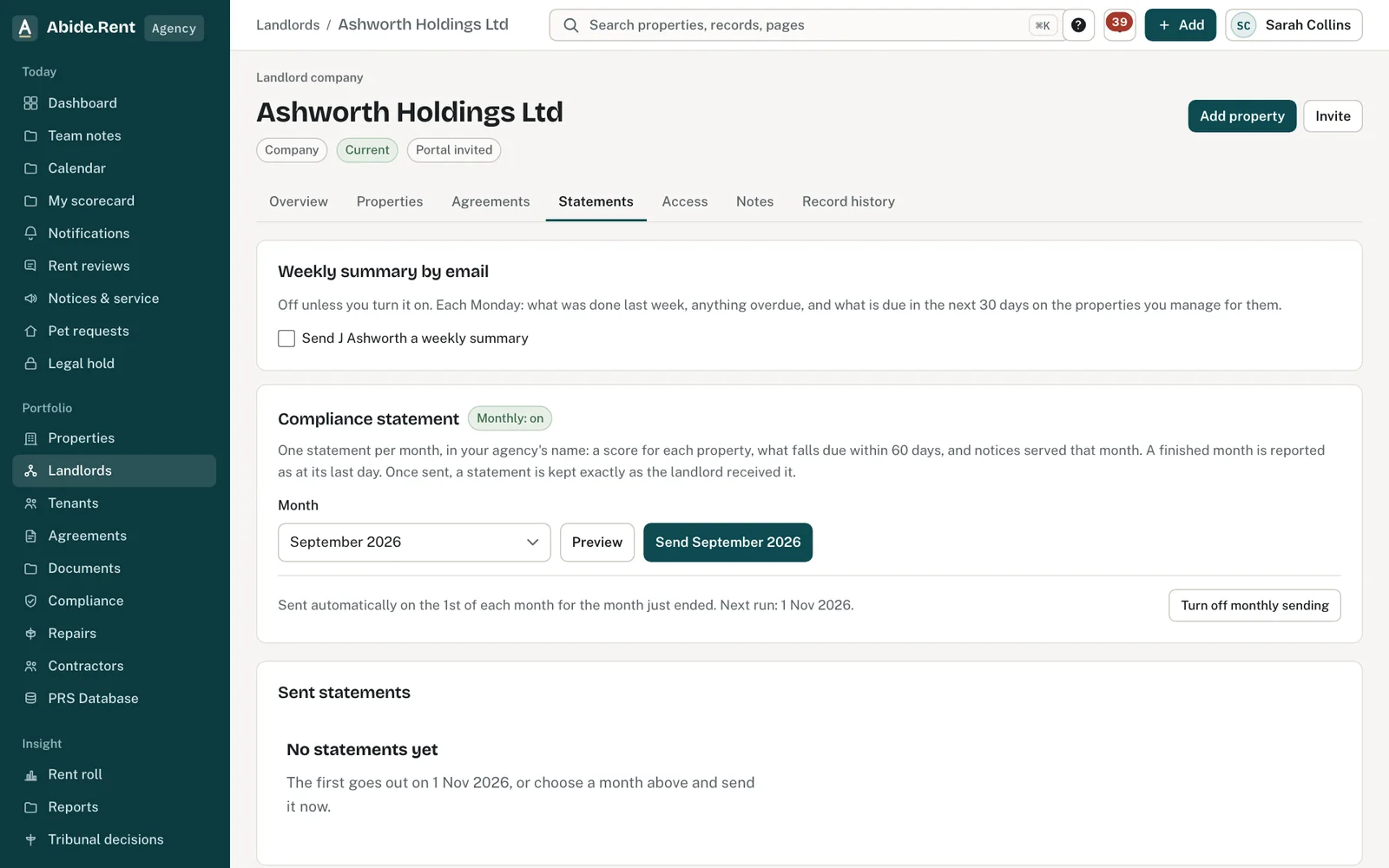
The landlord’s monthly compliance statements.
What you are deciding
Whether each landlord gets the statement automatically, and whether to send a particular month by hand.
Your options
- Leave it on. Each landlord with current properties gets the statement for the month just ended, at 9am on the 1st. They can open every past statement in their own Abide.Rent account and download the PDF.
- Send a chosen month now. Pick any of the last twelve months — the month just ended is selected for you. A finished month is reported as at its last day; the current month shows the position today. Once a month has been sent it is kept exactly as the landlord received it and cannot be sent again.
- Turn off monthly sending for one landlord. Some landlords prefer a call. You can still send any month by hand.
How to do it
- Open Landlords and choose the landlord.
- Open the Statements tab.
- Choose the Month, then Preview to see what it will say, or Send it.
- Download any past statement as a PDF from the list.
A worked example
Northgate Residential manages six properties for Ashworth Holdings. On Sunday 1 November 2026 at 9am Ashworth's director receives the October statement: a score of 83 out of 100, one EICR expiring on 20 November, and a rent increase notice served on 14 October that the tenant has accepted. He opens it on his phone, downloads the PDF for his accountant and replies to book the electrician.
What Abide.Rent does for you
- Writes the statement from the records in Abide.Rent, in your agency's name.
- Sends it on the 1st for the month just ended, skips any month you already sent by hand, and keeps every past statement for both of you.
- Shows the same score you see on the property, with the items behind it.
If something goes wrong
- “Statements can be prepared for … onwards.”
What to do: Choose a month from the date shown. - “The … statement was already sent on …”
What to do: Download it from the list below instead of sending again. - The landlord did not receive it
What to do: Check the landlord's email on their record and resend.
Common mistakes
- Treating the score as a legal opinion. It counts records; it does not judge them.
- Leaving records out of date and sending the statement anyway. Update certificates and deposits first.
What to do next
More in Compliance
 Agreements and service levelsRecord the management agreement and the level of service for each property: let only, rent collection, fully managed or self-managed.
 Contractors and the jobs you send themKeep your own list of contractors with their trades, areas, registrations and insurance, and send them jobs from a repair or a renewal.
 Gas safety, EICR and EPC datesRecord when each certificate expires and be reminded 30 days before. One page lists every date across your properties.