Most agencies sell two or three services, and one landlord often has a mix. The service sits on each property.
Who this is for: letting agencies and landlords.
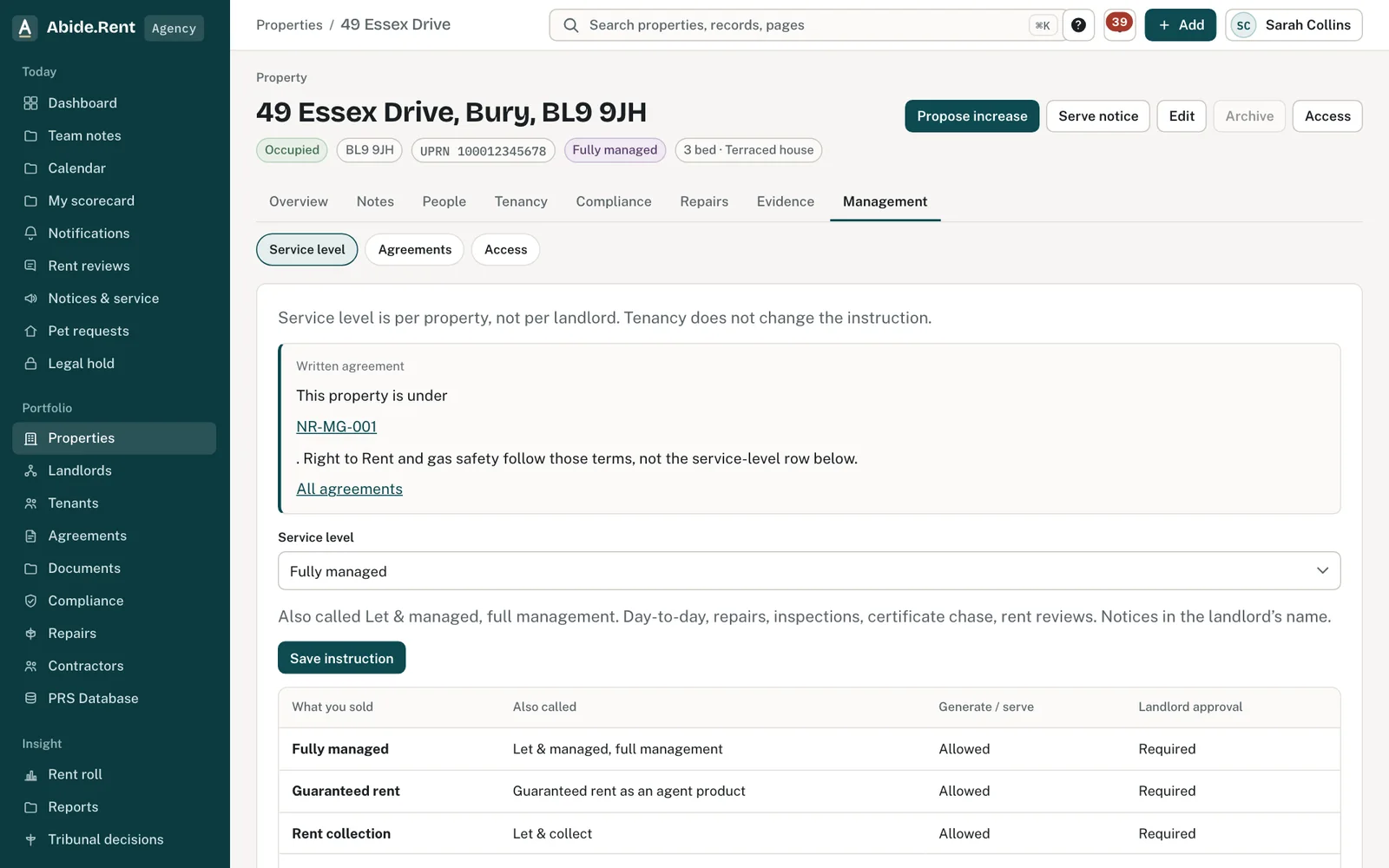
Management: the service level and the agreement behind it.
Who carries what on this property.
What you are deciding
Which service applies to each property.
Your options
- Let only. The agent finds the tenant and steps back. Notices are served by the landlord unless written authority is recorded.
- Rent collection. Adds collecting rent and first-line arrears. Certificates and repairs usually stay with the landlord.
- Fully managed. Day-to-day management, and notices in the landlord's name with written authority.
- The agent pays the rent. Full management plus a promise to pay the rent if the tenant does not. The landlord is still the landlord.
- Self-managed. No agent. The landlord does everything in their own account.
How to do it
- Open the property and choose Management.
- Choose the Service level and select Save instruction.
- Open Who carries what (Duties) to see each duty and who holds it.
What never changes
Whatever the service, only Right to Rent and gas safety can transfer to the agent, and only in writing. Everything else, including PRS registration, stays with the landlord.
A worked example
On 1 October 2026 Ashworth Holdings Ltd has 30 fully managed properties and 2 let only with Northgate Residential. On the let-only properties the notice actions are unavailable to the agency, and alerts about certificates go to the landlord.
What Abide.Rent does for you
- Records the service per property.
- Shows notice actions only where the service and authority allow.
- Names who must act on each alert.
If something goes wrong
- “Instruction sits with the managing account.”
What to do: Only the managing account sets the service.
Common mistakes
- Setting the service on the landlord instead of each property.
What to do next
Keep reading
All help articlesMore in The Act
 Repairs and incidents: what to record and who deals with themWho handles a repair depends on the service level for the property. Keep a dated note of each report and what was done.
 Respond to a pet requestApprove a request, refuse it with a written reason, or ask the tenant for more information.
 Pet requests and the 28-day deadlineA tenant can ask in writing to keep a pet. Abide.Rent counts 28 days from the request and shows who is to answer.