Getting started as a tenant
Your portal is free. It shows your tenancy, every notice you are sent and the dates that matter, and lets you reply.
- Reviewed
- Audience
- Tenants
- Read
- 2 min
You do not pay for anything in your portal, now or later.
Who this is for: tenants.
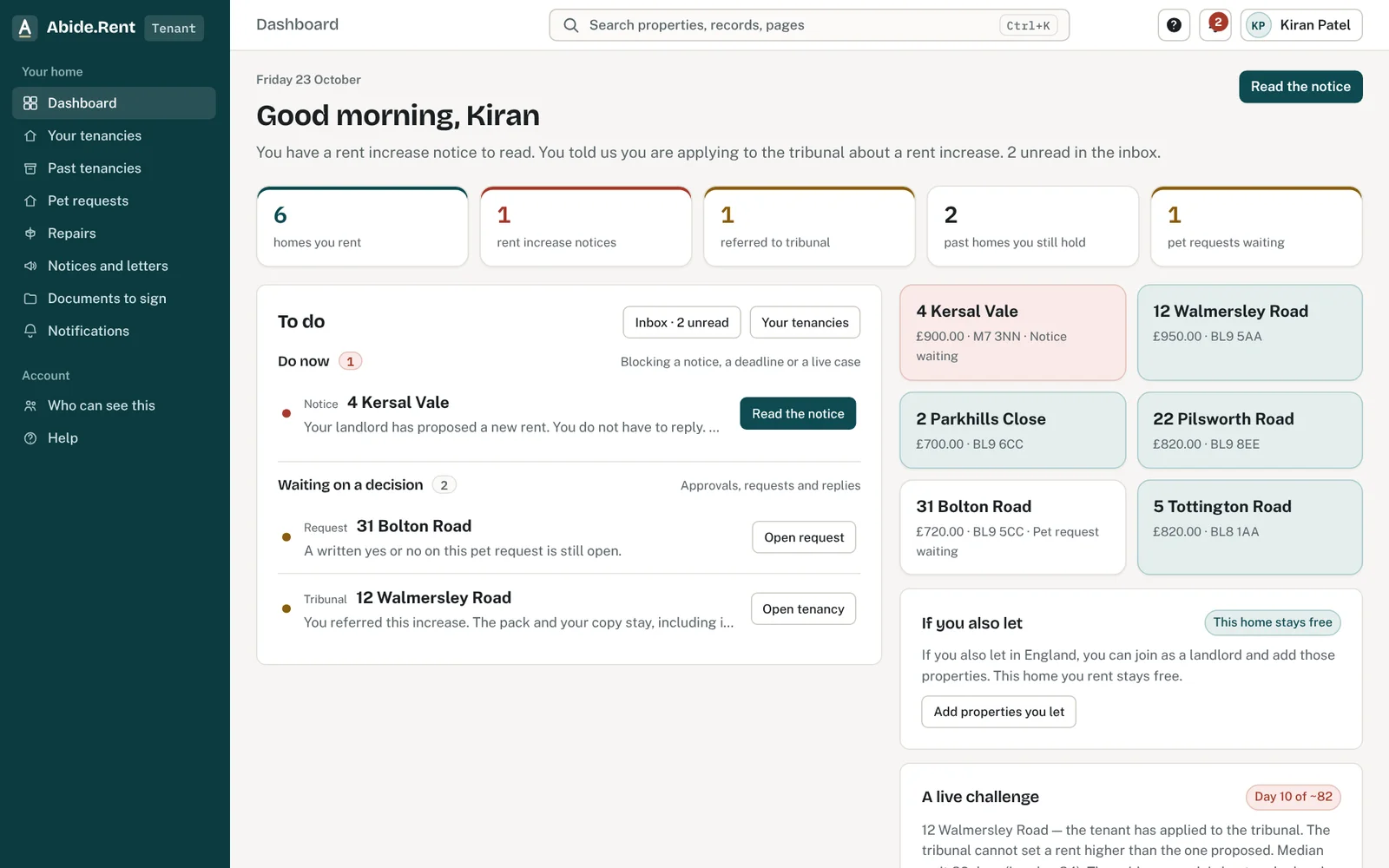
Your home screen: what to do now and anything waiting on a decision.
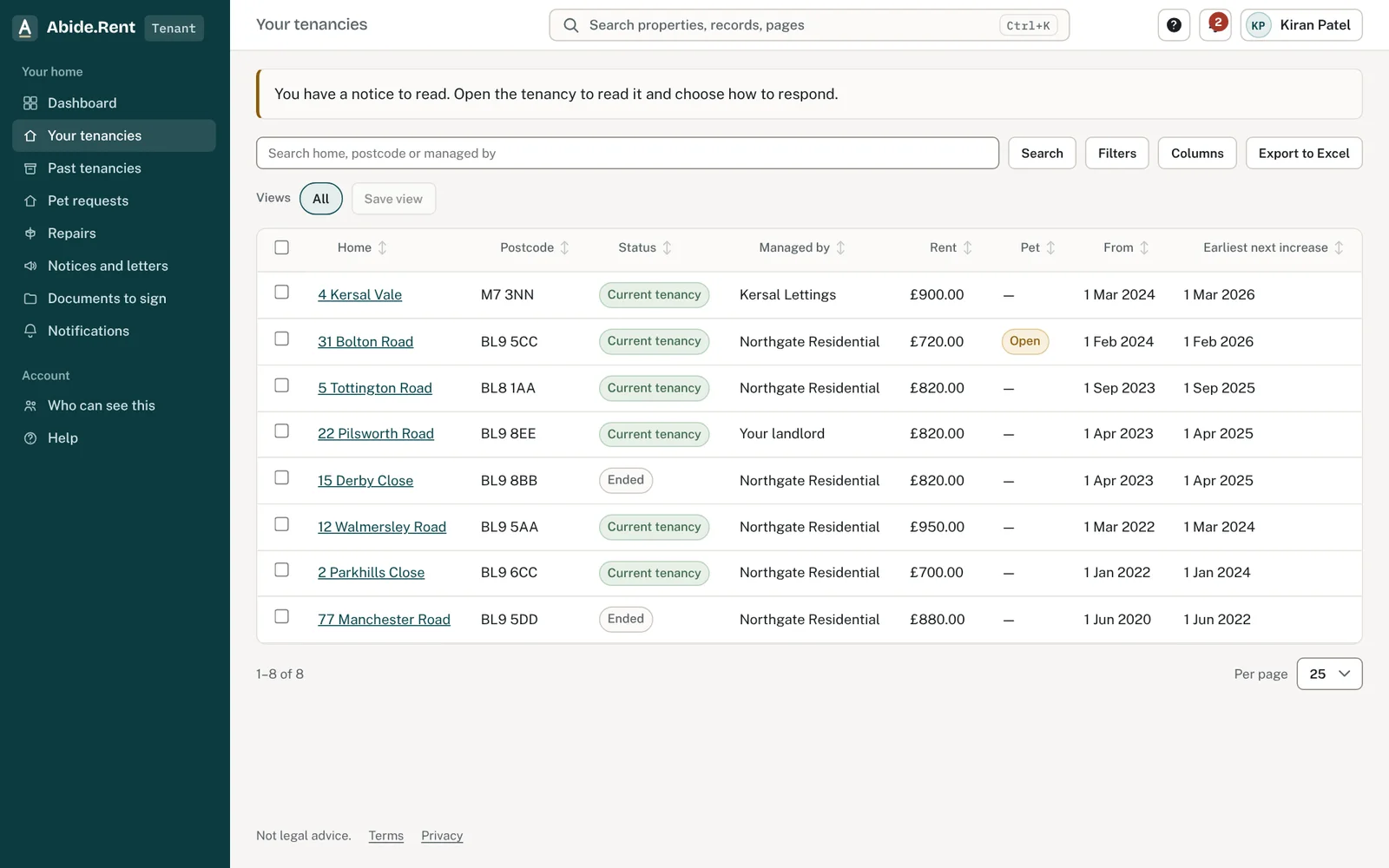
Your tenancies, with the rent and the earliest date of the next increase.
What you are deciding
How you want to hear about your tenancy, and whether the details your landlord or agent recorded are right.
Your options
- Confirm your details now. Your name and phone number are right on every notice and letter from the start.
- Choose your emails. You pick which emails you get. Messages about a notice sent to you are always delivered, so you never miss one.
- Do it later. Nothing is lost. Your tenancy and your notices are there whenever you sign in.
How to do it
- Check your details and correct anything that is wrong.
- Look at your tenancy: the address, the rent and the date it started. If something is wrong, tell your landlord or agent, because they keep the record.
- Read how notices reach you, so you know where to look when one arrives.
- Choose your notification preferences.
A worked example
Nia is invited by her letting agent on Monday 5 October 2026. She creates her account, confirms her phone number and sees her tenancy at 12 Market Street, Leeds: rent £1,250.00 a month, started Saturday 1 March 2025. A month later a rent increase notice arrives. It appears under Notices and letters with the proposed rent, the date it would start and the date to reply by, and she gets an email the same day.
What Abide.Rent does for you
- Keeps your own copy of every notice and letter, even if you move out or the property changes agent.
- Shows the date to act by on anything that needs a reply.
- Shows who can see your tenancy, under Who can see this.
If something goes wrong
- You cannot see your home
What to do: The landlord or agent links your email to the tenancy. Ask them to check the email they hold and resend the invitation. - “This invitation has expired. Ask for a new one.”
What to do: Invitations last 14 days. Ask the landlord or agent to send a new one. - “This invitation has already been accepted. Sign in to continue.”
What to do: Sign in with the same email; your tenancy is already there.
Common mistakes
- Signing up with a different email address from the one that was invited. Your tenancy is tied to the invited address.
- Assuming a reply here is an application to the tribunal. The application is made to the tribunal itself.
- Ignoring an email because nothing is due yet. Open it: the date to act by is on the notice.
What to do next
More in Getting started
 Getting started as a landlordAdd a property you let, record its tenancy and dates, and invite your tenant. If an agent manages it, invite your agent instead.
 Getting started as a letting agencySet up your agency in the order that pays off soonest: business details, a first property, its tenancy, its dates, then your team.
 Your business details and where they appearYour trading and legal names, registered address, company number and redress scheme appear on notices, emails, invoices and your tenants' portal.