What Abide.Rent is
One record for each property you let: the tenancy, the compliance dates, the rent reviews and the notices, with reminders before each deadline.
- Reviewed
- Read
- 3 min
Abide.Rent keeps one record for each property you let in England. The record holds the tenancy, the compliance dates, the rent reviews and the notices for that property, and reminds you before each deadline.
Who this is for: letting agencies and landlords.
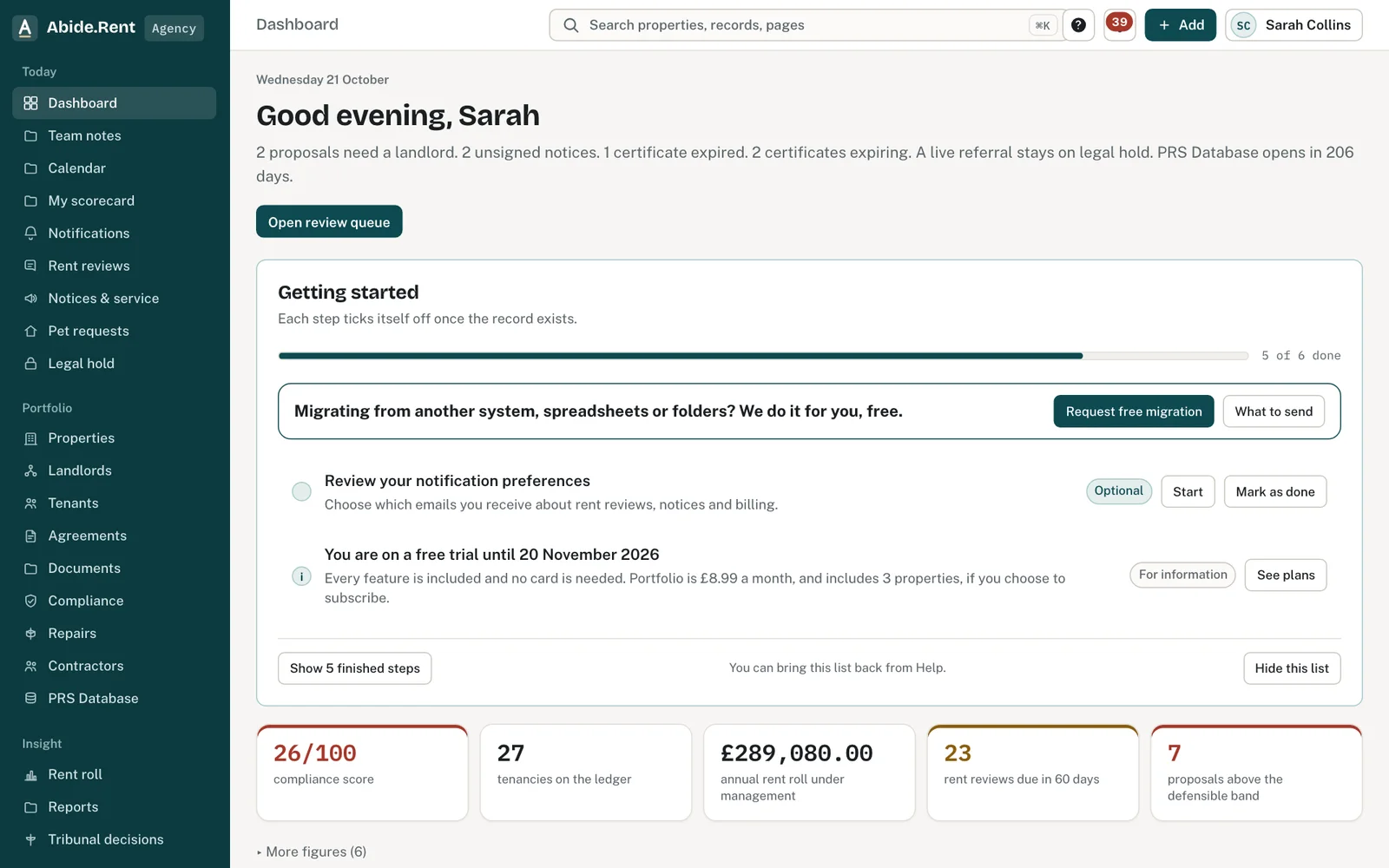
The dashboard: today’s work, the compliance score and what is waiting on others.
One property, one file: tenancy, compliance, repairs, evidence and management in tabs.
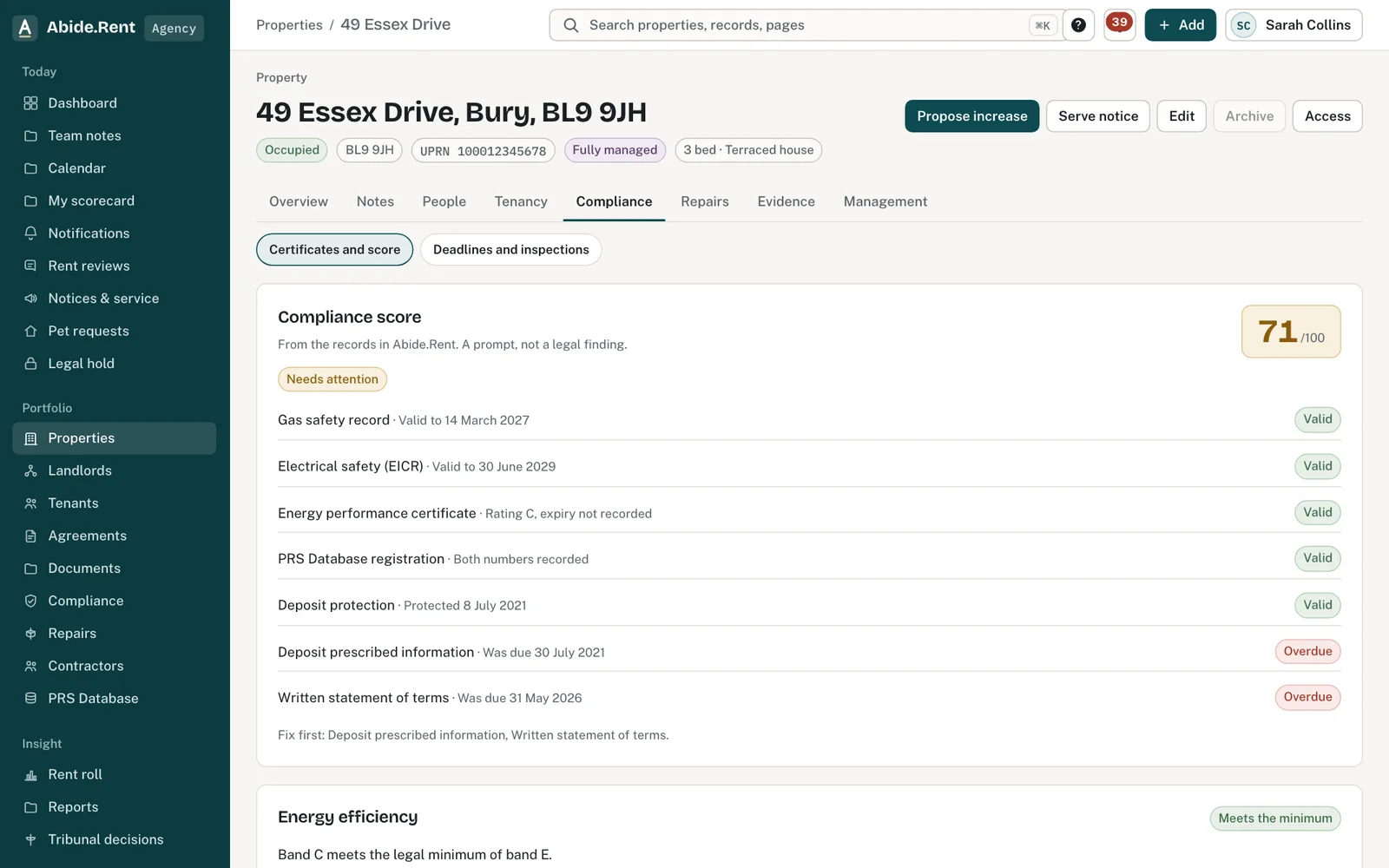
The compliance tab: score, energy rating and every certificate.
What you are deciding
Whether to keep your lettings records here, and how much of your portfolio to bring across first.
Your options
- Start with one property. You see how a property, its tenancy and its dates fit together in a few minutes, and can add the rest when you are ready.
- Import everything from a spreadsheet. Your whole portfolio is in on the first day, and the reminders start for every property at once. It takes a tidy spreadsheet.
- Wait. Nothing is lost by waiting, but your free trial runs from the day you sign up, so the earlier your records are in, the more of it you use.
What it costs
Every feature, for as many properties as you like, is free for 30 days. No card is needed to start. After that, Portfolio is £8.99 a month, includes 3 properties. Solo is free for 1 property. Tenant access is always free. The plans page has the detail.
A worked example
An agency with 40 properties signs up on Thursday 1 October 2026. It imports its spreadsheet the same afternoon. By the evening each property shows its gas safety, EICR and EPC dates, and four certificates that expire in November are listed on the compliance page. The trial runs for 30 days, to Saturday 31 October 2026. If the agency then subscribes to Portfolio for 40 properties, the charge is £62.99 a month.
What Abide.Rent does for you
- Keeps every property, tenancy, landlord and tenant in one place.
- Reminds you 30 days before a gas safety, EICR or EPC certificate expires.
- Prepares rent reviews and notices from your records, and keeps a dated record of how each notice was served.
- Gives landlords and tenants their own view of the records that concern them.
If something goes wrong
- “Not in this account” (“It is not part of the account you have open”)
What to do: You are in a view that does not have that page, for example a tenant view. Select your name at the top right and switch account. - A menu item you expect is missing
What to do: Your seat may not include it. Ask an owner or manager to check your seat under People & access.
Common mistakes
- Adding properties without their tenancies. The deadlines for rent reviews and notices are worked out from the tenancy.
- Leaving compliance dates until later. A date takes seconds to enter and the reminder does the rest.
- Treating Abide.Rent as advice. It records what you tell it and works out dates from that; it does not replace your own checks.
What to do next
More in Getting started
 Getting started as a landlordAdd a property you let, record its tenancy and dates, and invite your tenant. If an agent manages it, invite your agent instead.
 Getting started as a letting agencySet up your agency in the order that pays off soonest: business details, a first property, its tenancy, its dates, then your team.
 Getting started as a tenantYour portal is free. It shows your tenancy, every notice you are sent and the dates that matter, and lets you reply.