Migrating your records to Abide.Rent: we do it for you, free
Switching from another system, spreadsheets or folders of documents? Send us what you have and we import it and set you up, at no cost.
- Reviewed
- Read
- 4 min
Migrating your properties, tenancies, landlords and documents into Abide.Rent should not be a project you have to run. Whatever state your records are in — another system's export, one spreadsheet or several, or folders of PDFs — open a ticket and the Abide.Rent team imports it and checks it with you. There is no charge for this, whatever plan you are on.
Who this is for: letting agencies and landlords.
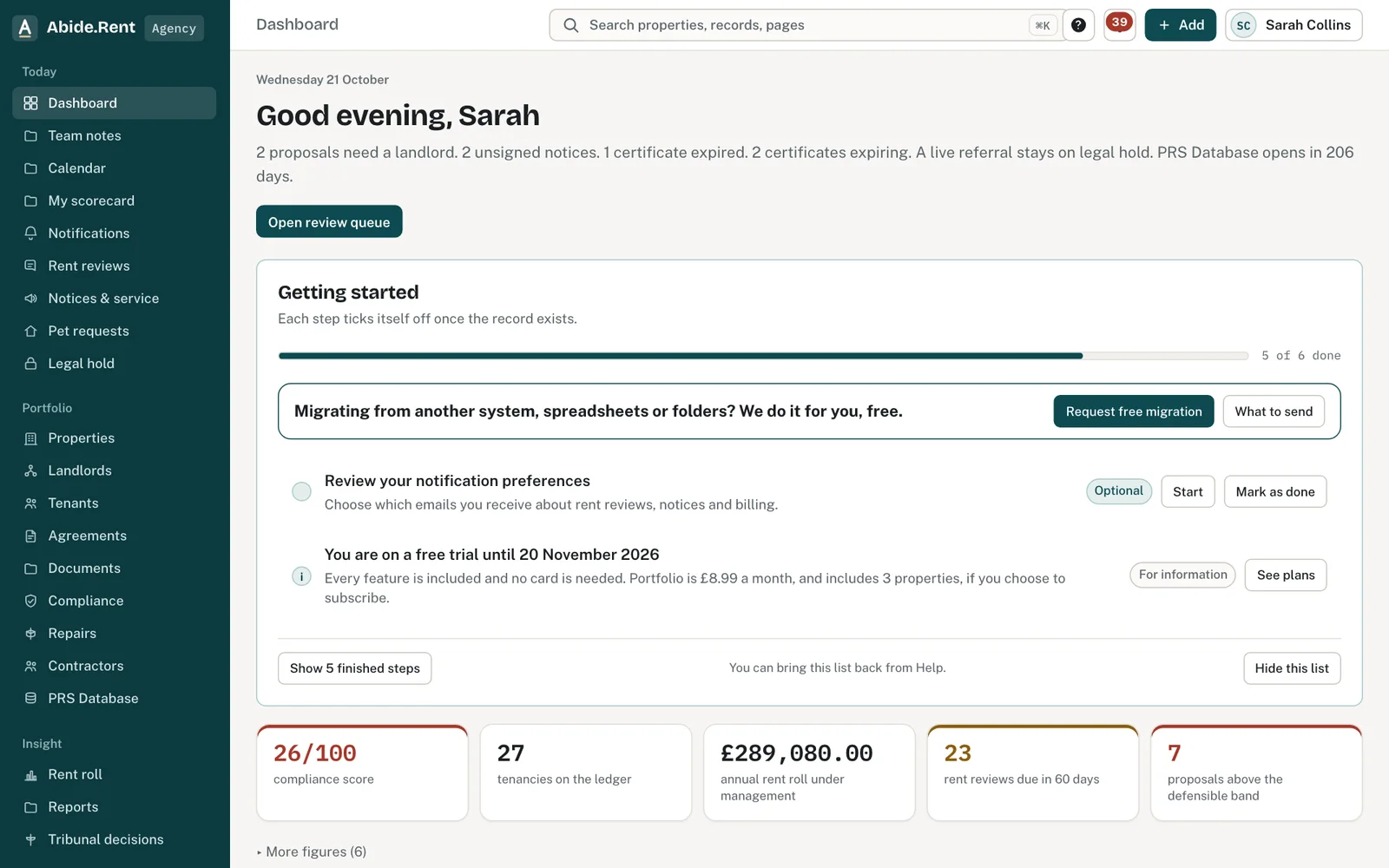
Tell us where your records are now and roughly how many properties.
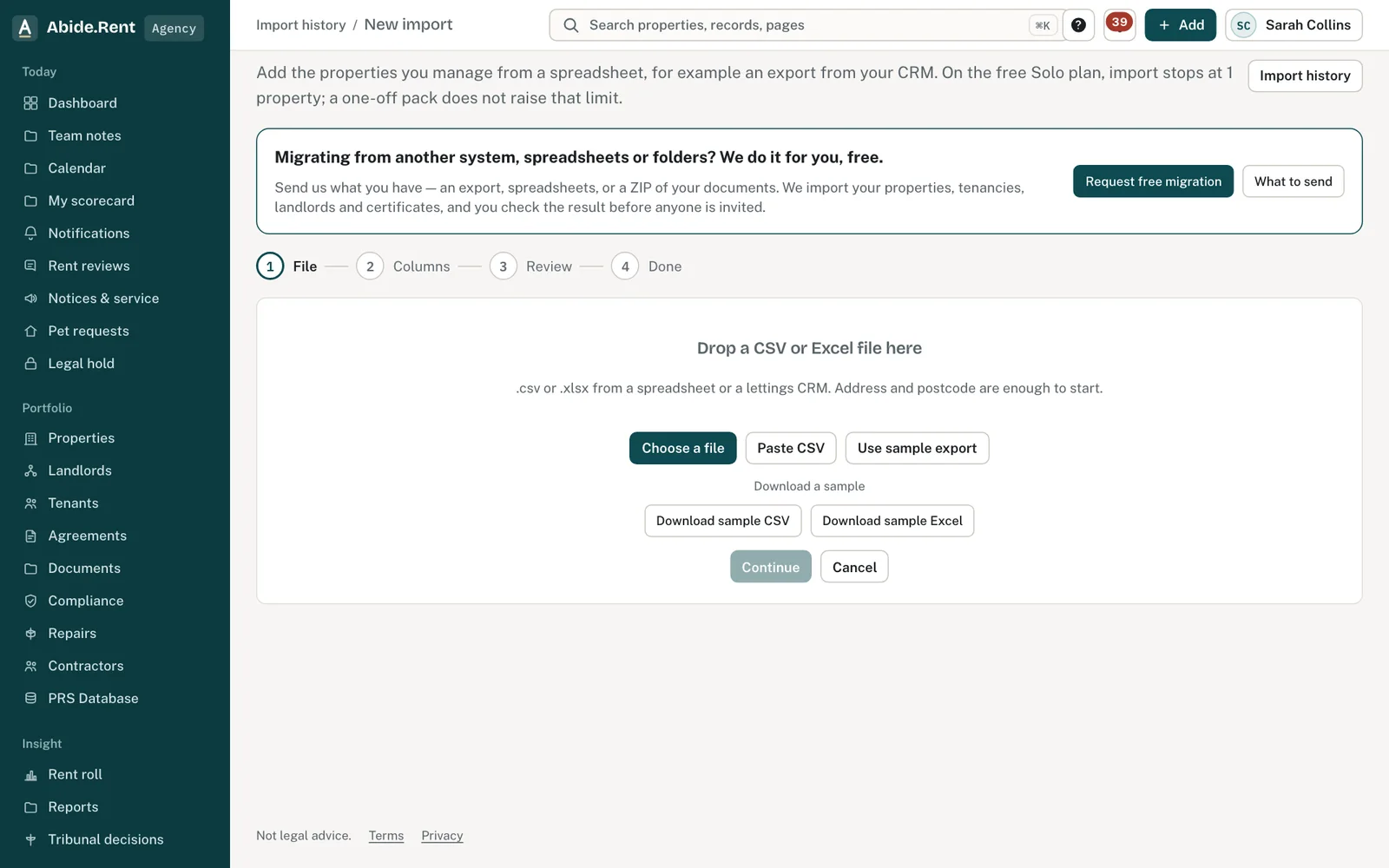
New import: drop a file, map the columns, review, done.
What you are deciding
Whether to import your records yourself with the spreadsheet importer, or send them to us to do.
Your options
- Send them to us. Best when records are spread across systems, spreadsheets and folders, or you have more than a few dozen properties. We map your columns, attach your documents to the right property and tell you what we could not place.
- Import a spreadsheet yourself. Quick when you already have one tidy spreadsheet. You can still open a ticket if any rows do not import.
- A mix. Import the properties yourself today and send us the documents and history to add.
How to do it
- Select Help, then Open a ticket, and choose Migrating your data to Abide.Rent (free). Or use the link on the import page.
- Say where your records are now: the system's name, or "spreadsheets" or "folders", and roughly how many properties.
- Attach what you have. Spreadsheets (CSV or Excel), Word files and a ZIP of a folder can each be up to 25 MB, and you can attach up to five files, 40 MB in all on one message; send more in a reply. For more than that, say so and we send you a secure upload link.
- Tell us anything we should know: properties you no longer manage, landlords who should not be invited yet, or tenancies with a notice in progress.
- We reply on the ticket with a plan and a date, import into your account, and send you a short list to check before anyone is invited.
What to include
- A list of properties. Address and postcode at least; property type and bedrooms if you have them.
- Tenancies. Tenant names and email addresses, rent, how often it is paid, and the start date. The date of the last rent increase if you have it.
- Landlords. Name, email address, and which properties are theirs.
- Compliance dates. Gas safety, EICR and EPC expiry dates, or the certificates themselves as PDFs.
- Deposits. Scheme, amount and the date it was protected.
- Documents. Tenancy agreements, certificates, past notices and inventories. A ZIP of the folders as they are is fine: name folders by address if you can.
What not to send
- Passwords, API keys or bank details. We never need them, and we will ask you to remove them from a ticket.
- Anything about a tenant beyond what the tenancy needs.
How we keep it safe
Files you attach are kept with the ticket, seen only by the Abide.Rent support team, and used only to set up your account. Nobody is invited or emailed until you have checked the result and said so.
A worked example
On Monday 2 November 2026 a six-person agency migrating from another system sends a CSV export of 180 properties, a spreadsheet of landlords, and a ZIP of certificate PDFs in folders named by address. The team maps the export's columns, imports the properties and tenancies, attaches 412 certificates to the right homes, and lists eleven rows it could not place. The agency checks the list, fixes three addresses, and invites its landlords on Monday 9 November 2026.
What Abide.Rent does for you
- Imports properties, tenancies, landlords and compliance dates into your account, and attaches documents to the right property.
- Lists anything it could not place, so nothing goes missing quietly.
- Leaves invitations switched off until you say the import is right.
If something goes wrong
- You are not sure what to send
What to do: Send what you have: an export from your old system, spreadsheets, folders of PDFs. We list what is missing after we look. - The ticket form refuses an attachment
What to do: “Screenshots, PDFs, spreadsheets (CSV, XLSX), Word files and ZIP folders only.” For larger files, say so on the ticket and we send a secure upload link. - Your records look different after the import
What to do: You check every import before it counts. Reply on the ticket with what is wrong and we fix it.
Common mistakes
- Tidying everything first. Send it as it is; sorting it is our job.
- Including passwords or bank details in a spreadsheet. Remove those columns before you attach it.
- Inviting landlords and tenants before the import has been checked.
What to do next
More in Getting started
 Getting started as a landlordAdd a property you let, record its tenancy and dates, and invite your tenant. If an agent manages it, invite your agent instead.
 How to open a support ticketOpen a ticket from Help inside Abide.Rent. We reply on the ticket and by email. There is no live chat.
 Ask the assistant about your recordsAsk a question about your properties, certificates, notices, repairs and deadlines, and get an answer that links to each record it used.