Understanding a rent increase notice and your options
A rent increase notice shows your current rent, the proposed rent and the date it would start. You can accept, ask a question or refer it to the tribunal.
- Reviewed
- Audience
- Tenants
- Read
- 3 min
A rent increase arrives as a notice called Form 4A. It appears on your tenancy once your landlord or agent has recorded that it was served.
Who this is for: tenants.
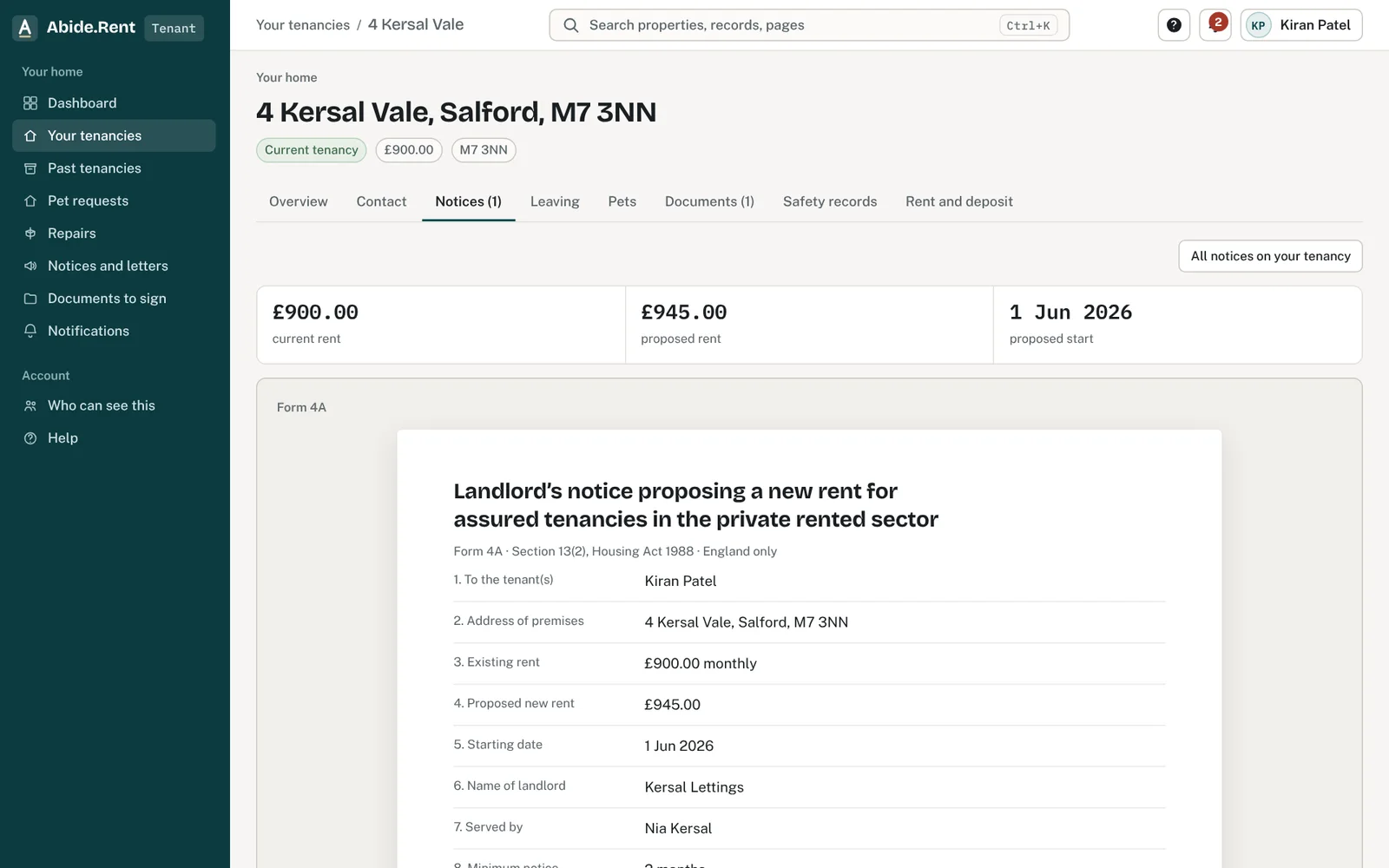
The notice: what it proposes, from when, and your options.
What you are deciding
How to respond to the notice: accept it, ask about it, or ask the tribunal to decide the rent.
Your options
- Accept the notice. This records that you accept the proposed rent from the proposed start date.
- Ask a question. This records that you have a question about the notice. Your landlord or agent is told.
- Refer to the tribunal. This records your referral and keeps the notice on hold. You apply to the tribunal yourself, on its own site, and pay any fee to it.
- Do nothing here. Nothing is recorded for you. The notice still shows the date it says the new rent starts.
How to do it
- Open Notices and letters, or the notice from your home page.
- Read the current rent, the proposed rent, the date it was served and the date the new rent would start.
- Choose how to respond and confirm. A notice takes one response, so it cannot be changed here afterwards.
- Download the acknowledgement for your own records.
What the notice tells you
- The proposed rent and the rent you pay now.
- The date it was served. A notice sent by post counts as served on the second working day after posting.
- The date the new rent would start. It is at least two months after the notice was served and is the first day of a rent period.
The time limit for applying to the tribunal is set by the rules that apply to the notice, not by Abide.Rent. Check GOV.UK, or ask Shelter or Citizens Advice, as soon as the notice arrives.
A worked example
Nia pays £1,250.00 a month. Her notice proposes £1,325.00, an increase of 6% or £75.00 a month. It was posted on Monday 2 November 2026 and counts as served on Wednesday 4 November 2026. The new rent would start on Monday 1 February 2027. She looks at what similar flats nearby are let for, decides the figure is too high and records a referral on Thursday 19 November 2026, then applies to the tribunal the same day. Her rent stays at £1,250.00 until the tribunal decides.
What Abide.Rent does for you
- Shows the figures side by side, with the dates.
- Records your response with the date and time, and gives you an acknowledgement to download.
- Tells your landlord or agent as soon as you respond.
If something goes wrong
- “This link has ended or does not exist. Ask your landlord or letting agent for a copy.”
What to do: Sign in to your portal to read it, or ask them for a copy. - You cannot see the notice
What to do: It appears once service is recorded. Check you signed in with the email on the tenancy.
Common mistakes
- Recording a referral here and not applying to the tribunal. Abide.Rent does not apply for you.
- Accepting to be helpful and regretting it. A notice takes one response.
- Leaving it until the week the new rent starts. Read the notice the day it arrives.
What to do next
More in For tenants
 Referring a rent increase to the tribunalThe First-tier Tribunal can decide the rent. It cannot set more than your landlord proposed, and the new rent starts from the first rent day on or after its decision.
 I cannot see my tenancyYour tenancy appears once your landlord or letting agent invites you using the email address you signed up with.
 Reporting a repairReport a repair to your landlord or agent in writing. Their contact details are on your tenancy.