Your rent account and deposit information
See the rent due and the payments your landlord or agent has recorded, and confirm you have received your deposit information.
- Reviewed
- Audience
- Tenants
- Read
- 2 min
Open your tenancy and select Rent and deposit to see your rent account and any deposit information your landlord has given you.
Who this is for: tenants.
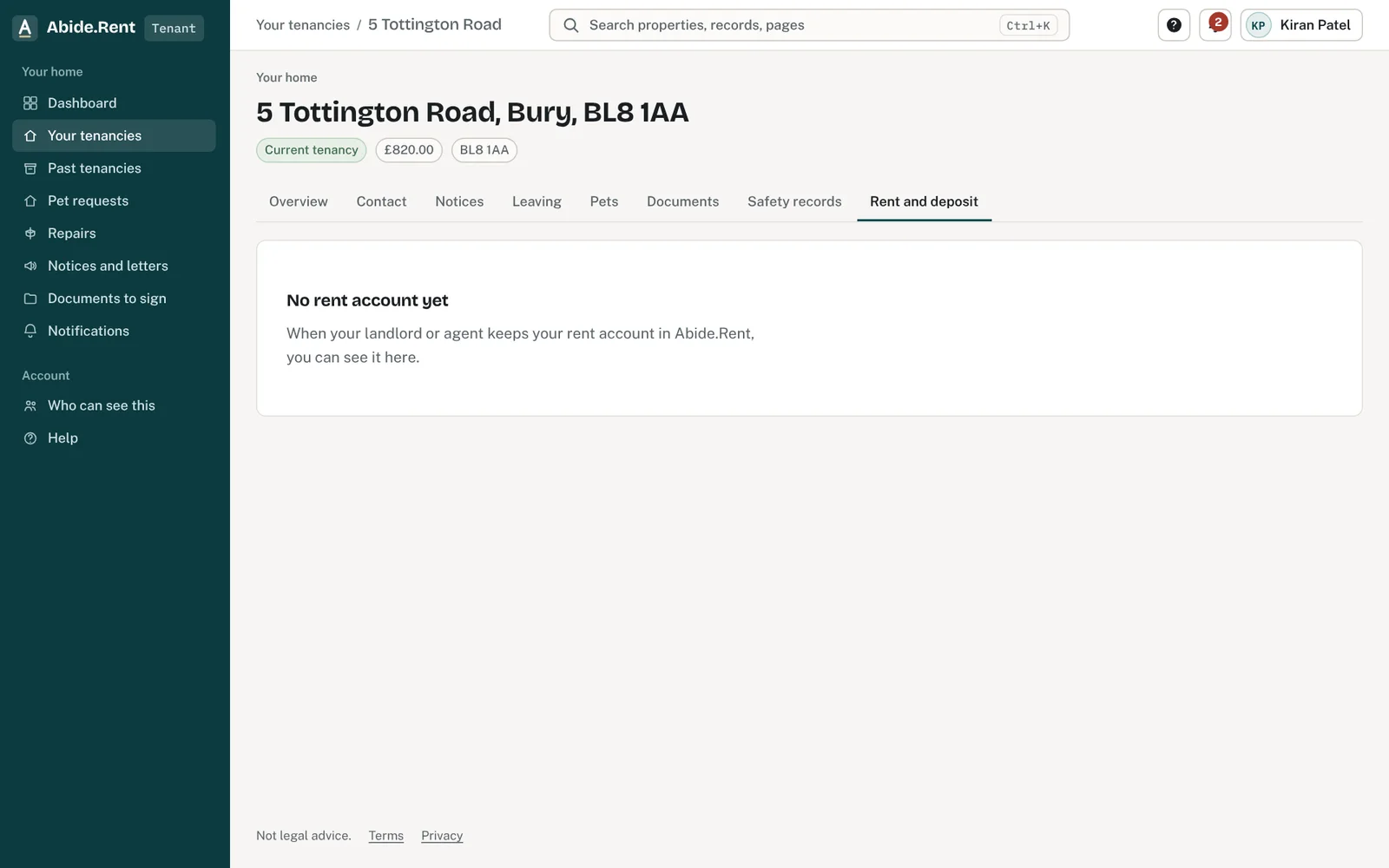
Your tenancy: rent, deposit and documents.
What you are deciding
Whether the payments recorded match yours, and whether you have received your deposit information.
Your options
- The payments match. Nothing to do. You can download a dated copy of the account at any time.
- A payment is missing or wrong. Tell your landlord or agent, with the date, amount and the reference you used. Only they can change the account.
- Deposit information. Open it, read it and select I have received it. Your landlord's side is told the date.
How to do it
- Open your tenancy and select Rent and deposit.
- Check the balance and the payments listed.
- Select Download PDF if you want a copy.
- If deposit information is waiting, open it and confirm you have received it.
A worked example
Your rent is £950.00 a month, due on the 1st. You paid on 1 August 2026 but the account shows nothing for that month on 3 August 2026. You tell your agent the payment went from your bank on 1 August 2026 with the reference "FLAT 2 RENT", and they add it; the balance goes back to £0.00.
What Abide.Rent does for you
- Shows you the same account your landlord or agent keeps, read-only.
- Records the date you confirm receipt of your deposit information.
- Keeps your copies readable after you move out.
If something goes wrong
- Your deposit shows as not protected
What to do: Ask the landlord or agent; a deposit must be protected within 30 days. - “Only the tenant can record receipt.”
What to do: Confirm receipt from your own portal.
Common mistakes
- Assuming a missing payment will be noticed. Tell your landlord or agent with the details.
- Confirming receipt of deposit information you have not opened.
What to do next
Keep reading
All help articlesMore in For tenants
 Reporting a repairReport a repair to your landlord or agent in writing. Their contact details are on your tenancy.
 What you can do in the tenant portalSee your tenancy, read and answer notices, ask to keep a pet, give notice, and keep your own copy of everything.
 I cannot see my tenancyYour tenancy appears once your landlord or letting agent invites you using the email address you signed up with.