Referring a rent increase to the tribunal
The First-tier Tribunal can decide the rent. It cannot set more than your landlord proposed, and the new rent starts from the first rent day on or after its decision.
- Reviewed
- Audience
- Tenants
- Read
- 2 min
If you think a proposed rent is more than the property would let for, you can ask the First-tier Tribunal to decide.
Who this is for: tenants.
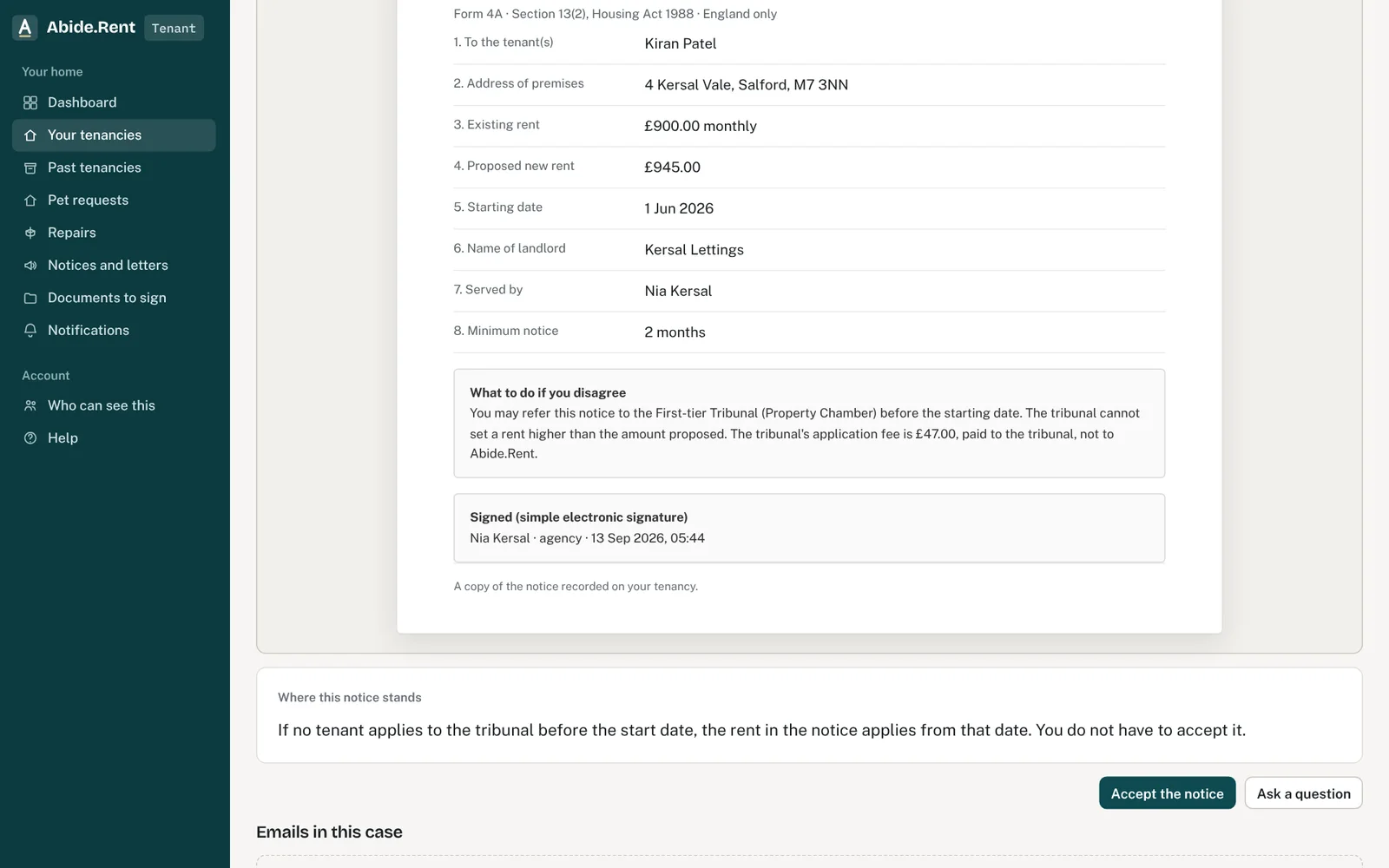
Your answer to the notice: accept or refer.
What you are deciding
Whether to refer the notice, given what the tribunal can do and how long it takes.
Your options
- Refer. The tribunal decides the rent. It cannot set more than your landlord proposed. Its application fee is £47.00, paid to the tribunal.
- The tribunal agrees with the proposal. The proposed rent applies from the date in the notice if the tribunal decides before then; otherwise from the first rent day on or after the decision. It is not backdated.
- The tribunal sets a lower rent. That rent applies from the same date: the date in the notice, or the first rent day on or after the decision if that is later.
- The increase would cause hardship. The tribunal can set a later start date, within two months of its decision.
How to do it
- Open the notice and choose Refer to the tribunal, then confirm. This records your referral and tells your landlord or agent.
- Apply on the tribunal's own site and pay its fee. Abide.Rent does not apply for you.
- Keep the acknowledgement Abide.Rent gives you, and anything the tribunal sends.
A worked example
Nia refers a notice proposing £1,325.00 against her current £1,250.00. She applies on Thursday 19 November 2026. The typical wait for a decision is 82 days, and 84 days in London, so a decision around late February 2027 would not be unusual. If the tribunal set the rent at £1,300.00 on Tuesday 23 February 2027, she would pay £1,250.00 until that day and £1,300.00 from it. The most the tribunal could set is £1,325.00.
What Abide.Rent does for you
- Records your referral with the date and time.
- Keeps the notice on hold and marks it as referred, so your landlord can see it.
- Keeps your copy of the notice and your acknowledgement.
If something goes wrong
- “You have already given your answer to this notice.”
What to do: Your answer is recorded. - “Only a named tenant can accept, query or refer”
What to do: Each named tenant answers from their own portal. - You want to refer it
What to do: Apply to the tribunal on its own site and pay its fee there; then record the referral in your portal.
Common mistakes
- Thinking the tribunal might set a higher rent than the notice. It cannot.
- Stopping at the button here. The application is made to the tribunal.
- Paying the proposed rent early by mistake. Your current rent carries on until the decision.
What to do next
More in For tenants
 Understanding a rent increase notice and your optionsA rent increase notice shows your current rent, the proposed rent and the date it would start. You can accept, ask a question or refer it to the tribunal.
 I cannot see my tenancyYour tenancy appears once your landlord or letting agent invites you using the email address you signed up with.
 Reporting a repairReport a repair to your landlord or agent in writing. Their contact details are on your tenancy.