What you can do in the tenant portal
See your tenancy, read and answer notices, ask to keep a pet, give notice, and keep your own copy of everything.
- Reviewed
- Audience
- Tenants
- Read
- 2 min
The tenant portal is your own view of your tenancy. Tenant access is always free.
Who this is for: tenants.
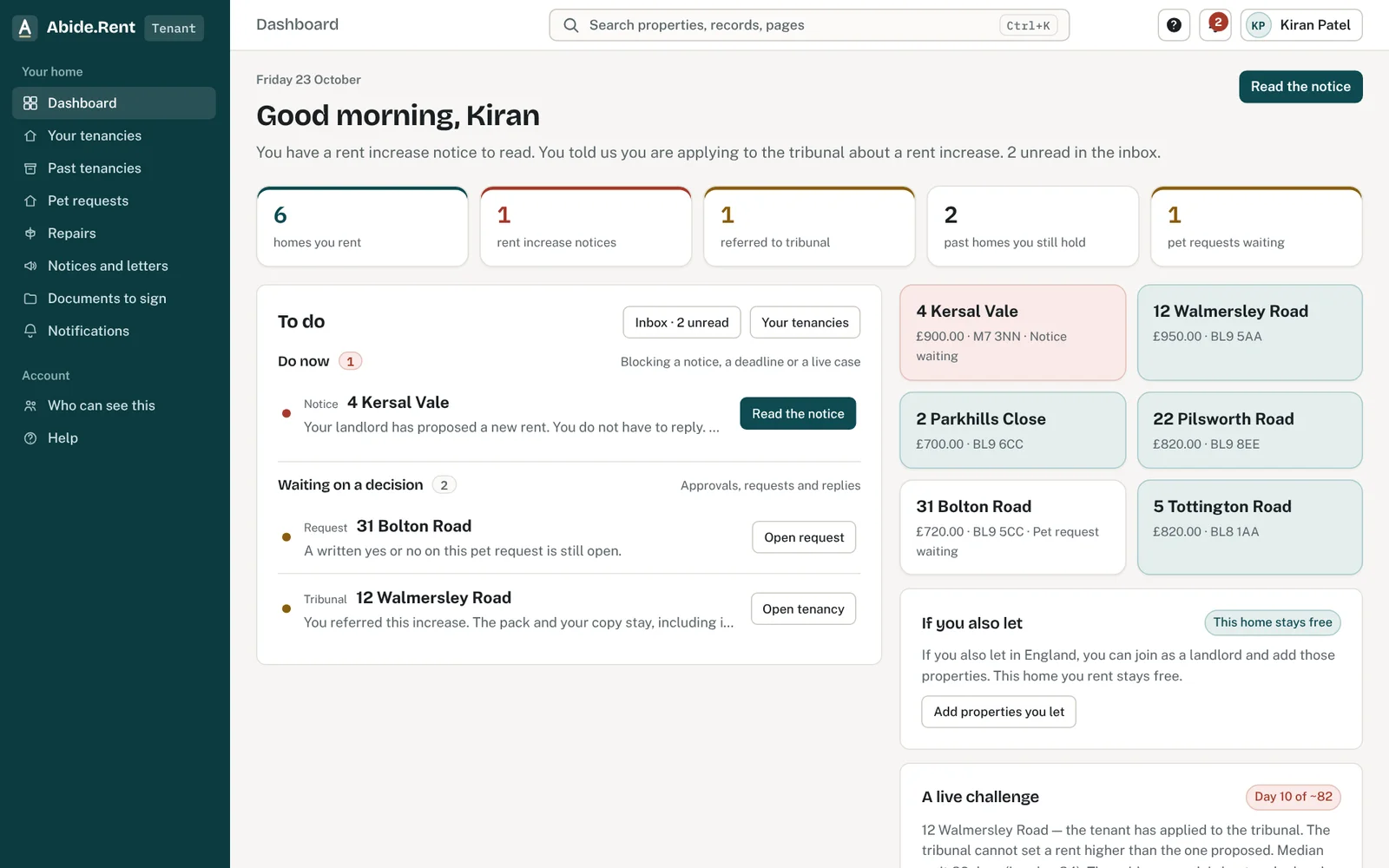
What to do now and what is waiting.
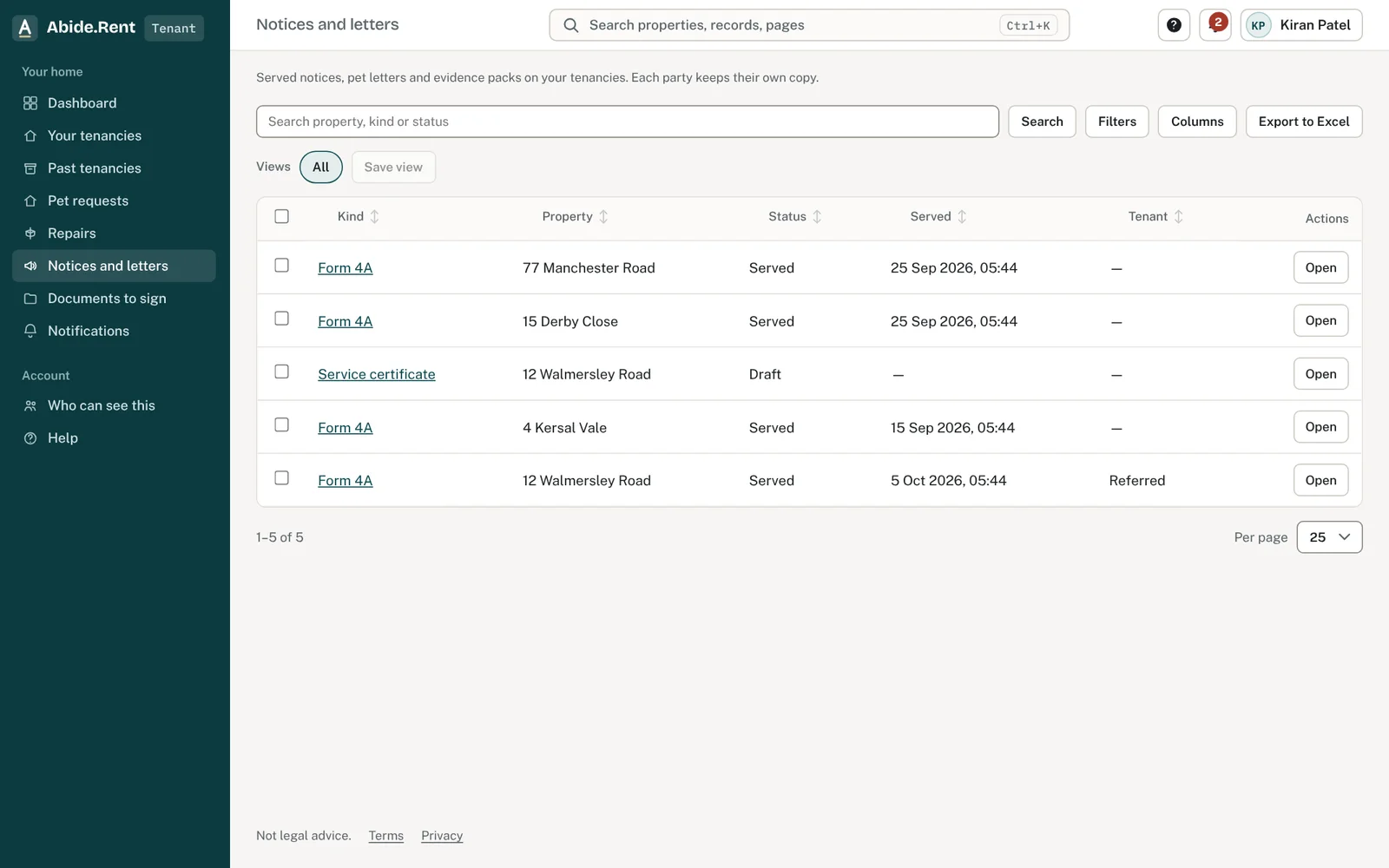
Every notice and letter, with a copy to keep.
What you are deciding
What you want to do today: read something, reply to something, or ask for something.
Your options
- Read a notice or letter. Anything served on you through Abide.Rent appears on your tenancy with the date it was served.
- Reply to a rent increase notice. Accept it, ask a question about it, or say that you are referring it to the tribunal. A notice takes one reply.
- Ask to keep a pet. Send the request and see when an answer is due.
- Give notice to leave. Record your notice to quit and keep a dated copy.
Who can see what
- You see only your own tenancies, including past ones.
- Your landlord and their agent see the tenancy you share with them. They do not see any other tenancy you have, or anything else about you.
- Select Who can see this in the menu to see everyone with access to your tenancy.
Your copies are yours
Every notice and letter you receive is kept on your tenancy. You keep access to them if you move out, if the property changes agent, or if the landlord stops using Abide.Rent.
A worked example
Nia's tenancy at 12 Market Street shows rent of £1,250.00 a month, started Saturday 1 March 2025, managed by Fern Lettings. On Wednesday 4 November 2026 a rent increase notice appears, proposing £1,325.00 from Monday 1 February 2027. On Monday 9 November she also asks to keep a cat and sees that an answer is due by Monday 7 December 2026. Both items sit under What happens next on her home page, soonest first.
What Abide.Rent does for you
- Shows what happens next on your home page, soonest first.
- Keeps your own copy of every notice and letter.
- Shows your landlord's and your agent's contact details.
If something goes wrong
- “This action is not available in the tenant portal.”
What to do: Ask the landlord or agent to do it.
Common mistakes
- Replying to a notice before reading all of it. A notice takes one reply and it cannot be changed here afterwards.
- Assuming something on your tenancy is wrong and saying nothing. Tell your landlord or agent: they keep the record.
What to do next
More in For tenants
 I cannot see my tenancyYour tenancy appears once your landlord or letting agent invites you using the email address you signed up with.
 Reporting a repairReport a repair to your landlord or agent in writing. Their contact details are on your tenancy.
 Your rent account and deposit informationSee the rent due and the payments your landlord or agent has recorded, and confirm you have received your deposit information.