Possession of a tenancy is sought with a Section 8 notice, which names the grounds the landlord is relying on.
Who this is for: letting agencies, landlords and tenants.
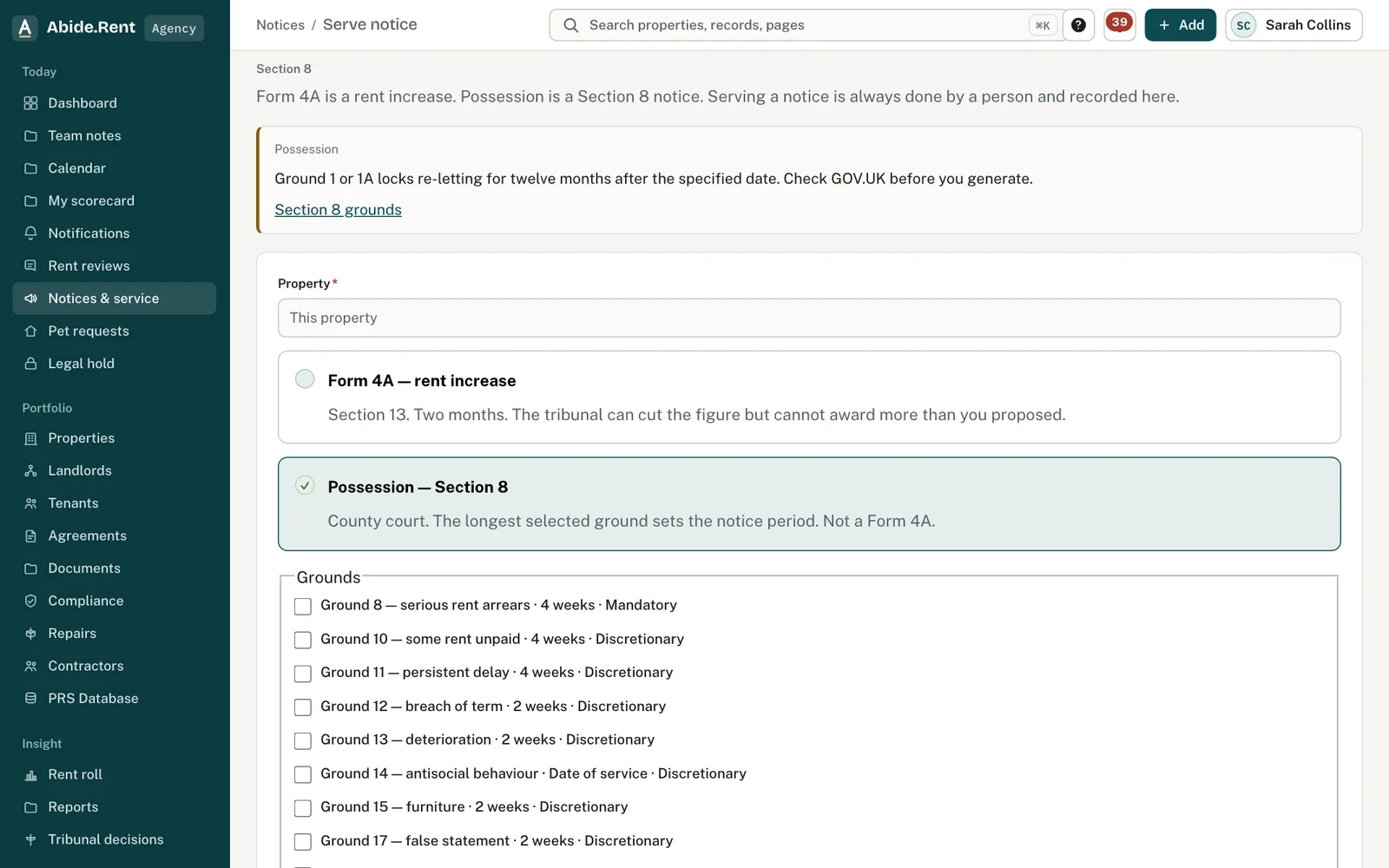
A Section 8 notice: choose the grounds that apply.
What you are deciding
Which grounds to rely on, knowing that the longest notice period among them applies.
Your options
- Four months. Grounds 1 and 1A (the landlord moving in, or selling), 4A, 6 and 6B, among others.
- Two months. Grounds 7 and 9, among others.
- Four weeks. Ground 8 (serious rent arrears) and Grounds 10 and 11.
- Two weeks. Grounds 7B, 12, 13, 15 and 17.
- From the date of service. A notice that relies on Ground 7A or Ground 14 can begin on the day it is served.
How to do it
- Check that each ground you choose applies to the tenancy. Abide.Rent shows a warning where a ground is not available, for example during the twelve-month protected period.
- Check whether choosing Ground 1 or 1A will restrict re-letting afterwards.
- Choose the grounds. The notice period shown is the longest among them.
- Explain why each ground applies. Form 3A asks for this at question 4.3, and Abide.Rent fills in the legal wording of each ground at question 4.2 from GOV.UK's own text.
If you are a tenant
A possession notice served through Abide.Rent appears on your tenancy with the grounds and the dates. Read it carefully and take advice straight away. Shelter and Citizens Advice both give free advice to tenants.
Abide.Rent works out dates from what is entered. Whether a ground is made out is for the court.
A worked example
A landlord relies on Ground 8 (four weeks) and Ground 1A (four months) in one notice, served by hand on Monday 9 November 2026. The longer period applies, so the earliest date for proceedings is Tuesday 9 March 2027. Relying on Ground 8 alone, the same notice would give Monday 7 December 2026.
What Abide.Rent does for you
- Works out the notice period from the grounds, taking the longest.
- Warns where a ground is not available for the tenancy.
- Asks for the property's registration numbers once the PRS Database applies to it, except on Grounds 7A and 14.
If something goes wrong
- “Choose at least one ground for possession.”
What to do: Tick the grounds you rely on. - “Explain why each ground applies. Form 3A asks for it at question 4.3, and the notice is not valid without it.”
What to do: Write the explanation for each ground. - “Abide.Rent cannot prepare Form 3A on Ground … ”
What to do: That ground is not supported here. Take advice.
Common mistakes
- Adding a ground with a long notice period that you do not need. It lengthens the whole notice.
- Choosing Ground 1 or 1A without checking the protected period and the re-letting restriction.
What to do next
More in Notices
 Bring past notices and dates onto the recordRecord a notice you served before you used Abide.Rent, a safety record you gave the tenant on paper, or a request received long ago, each with the day it really happened.
 Following a tribunal referralFrom the tenant's application to the decision: record the directions, prepare and send your statement, and keep track of an inspection or hearing.
 Record how a notice was servedRecord the method, the date and any tracking reference. Abide.Rent works out the date a posted notice counts as served.