What matters in law is the day something happened, not the day it was typed in. Abide.Rent keeps both: the real date, and a note that it was entered later and why.
Who this is for: letting agencies and landlords.
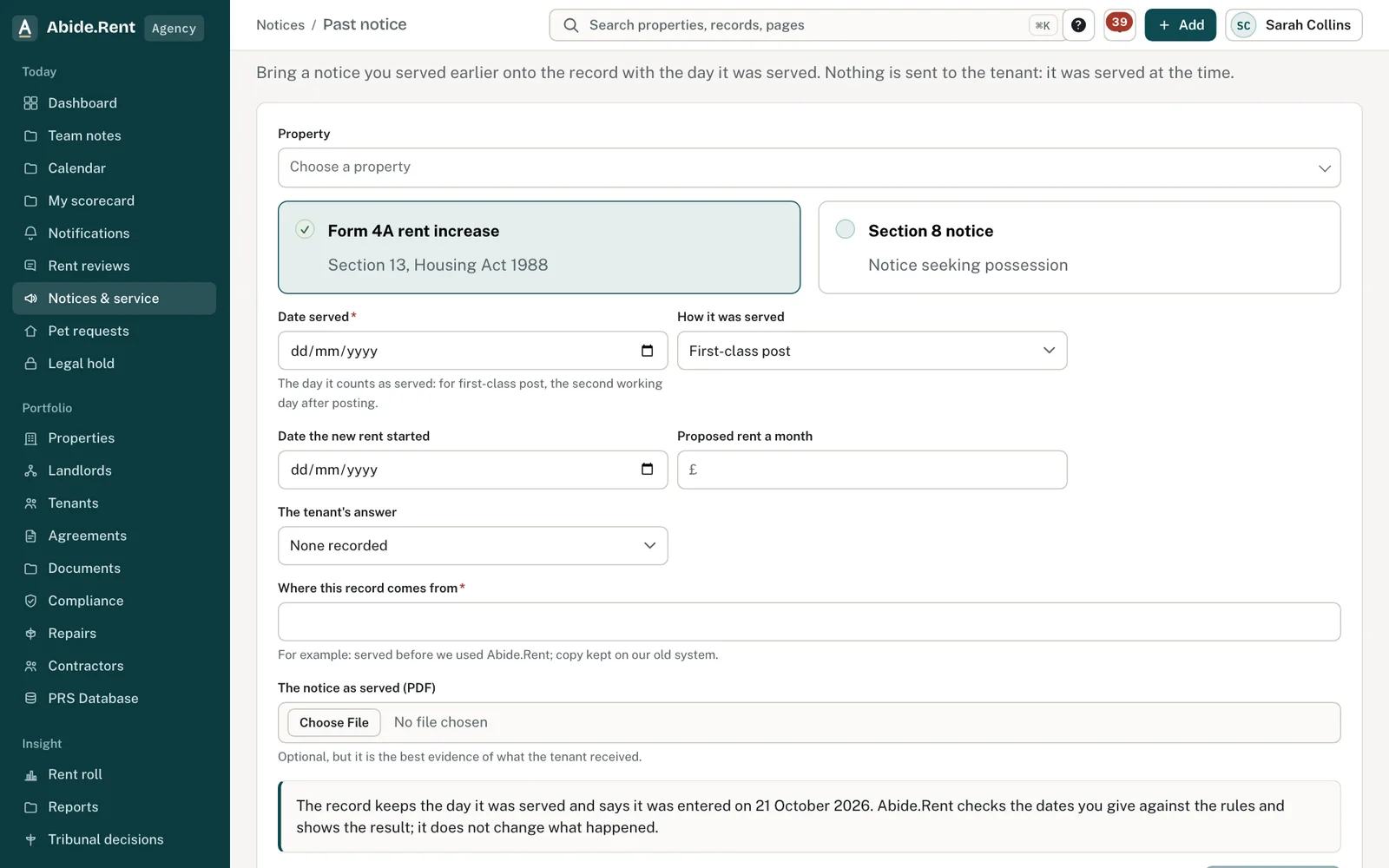
Past notice: the facts of a notice served before Abide.Rent.
What you are deciding
Whether you are recording today's step a little late, or bringing an older event onto the record.
Your options
- A step taken in the last 30 days. Record it as usual and give the date. A posted notice can be recorded up to 30 days after posting.
- A notice served before Abide.Rent. Use Record a past notice on Notices. Give the day it was served, how, the date it named, the tenant's answer if any, and attach the PDF. Nothing is sent to the tenant.
- A safety record already given to the tenant. Add the certificate with the date of the check, then choose Already given and the date. Nothing is sent to the tenant.
- A pet request received in writing long ago. Tick that it is a past record and say where it comes from. The 28-day decision clock runs from the date given.
How to do it
- Open Notices and choose Record a past notice, or open the certificate or the request you want to date.
- Give the date it happened and where the record comes from, for example our previous system.
- Attach the document you hold.
- Save. The record shows the date it happened and the date it was entered.
What Abide.Rent checks
- A date in the future, or before the tenancy began, is refused.
- The dates you give are checked against the rules (notice periods, the 52-week rule) and the result is shown on the record. An older notice that would not have been valid stays on the record as it was; it is not changed or hidden.
- Every record entered after the event says so, with your reason, on the record and in exports and evidence packs. The moment it was entered is kept in the audit trail.
A worked example
Northgate Residential starts using Abide.Rent on Monday 12 October 2026. A Form 4A for 49 Essex Drive was posted first class on Wednesday 1 April 2026 and counted as served on Friday 3 April 2026; the tenant accepted it on 20 April. Northgate records it as a past notice served on 3 April 2026, attaches the PDF from its old system, and the 52-week clock for the next increase runs from the date the new rent started, not from 12 October.
What Abide.Rent does for you
- Keeps the day an event happened apart from the day it was entered.
- Marks every later entry, with the reason, wherever the record appears.
- Sends nothing to the tenant for an event that already happened.
If something goes wrong
- “Say where this record comes from, for example “Imported from our previous system” or “Served before we used Abide.Rent”.”
What to do: Give the source. - “The date served cannot be in the future.” / “… cannot be before the tenancy began.”
What to do: Check the dates. - “Choose how the notice was served.”
What to do: Pick the method.
Common mistakes
- Using today's date for a notice served months ago: every clock would then run from the wrong day.
- Recording a past notice without the copy you served, when you have it.
- Leaving the date of the check empty on an old certificate, so the 28-day clock starts from the upload.
What to do next
More in Notices
 Following a tribunal referralFrom the tenant's application to the decision: record the directions, prepare and send your statement, and keep track of an inspection or hearing.
 Record how a notice was servedRecord the method, the date and any tracking reference. Abide.Rent works out the date a posted notice counts as served.
 A notice that never took effect can be served againA notice with a defect may never take effect. It does not use up the 52 weeks, so a corrected notice can be served.