Landlord and tenant at the same time
One person can be a tenant at one address and a landlord at another. The roles are kept apart, and each side sees only its own.
- Reviewed
- Read
- 1 min
Abide.Rent stores roles, not types of person. The same email can manage properties for an agency, own flats as a landlord and rent a home as a tenant.
Who this is for: letting agencies, landlords and tenants.
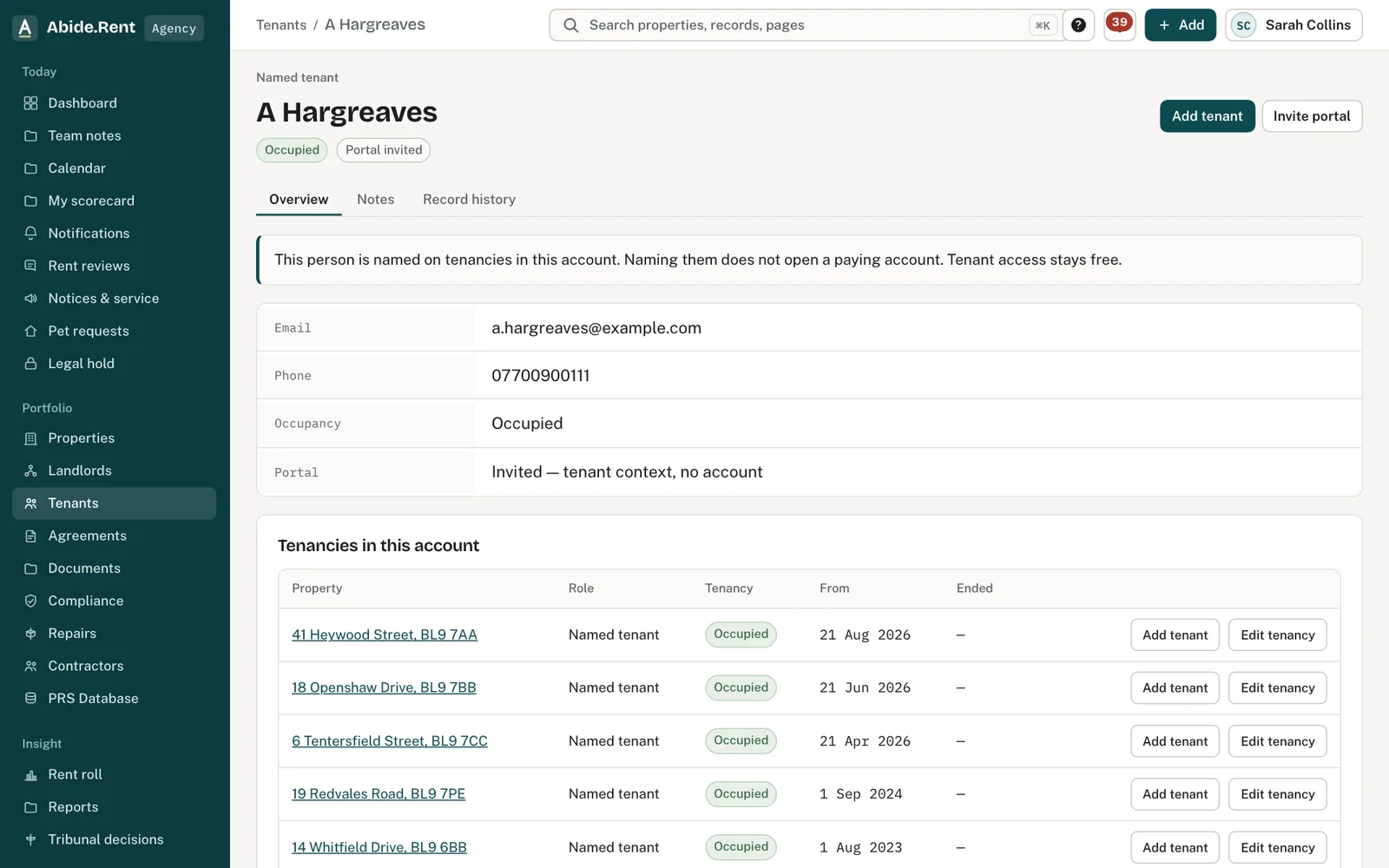
A tenant record. Their landlord records are kept separately.
What you are deciding
Which account you are working in.
Your options
- Work as a tenant. Open your tenant account: your tenancies, notices, repairs and deposit.
- Work as a landlord. Open your landlord account: your properties, approvals and statements.
- Work for an agency. Open the agency account you belong to.
How to do it
- Select your name at the top right.
- Choose the account you want.
- Check the label beside Abide.Rent at the top left: it shows which account is open.
A worked example
A Hargreaves rents 49 Essex Drive from Ashworth Holdings Ltd and lets a house in Radcliffe herself. Northgate Residential sees her only as the tenant of 49 Essex Drive. On Monday 19 October 2026 she switches to her landlord account to record a gas safety check at her Radcliffe house; Northgate does not see it.
What Abide.Rent does for you
- Keeps each role's records apart.
- Lets you switch without signing in again.
If something goes wrong
- “Open a landlord workspace from the tenant portal.”
What to do: Switch from your name at the top right. - You appear twice in a list
What to do: Two records were created for one person, for example with two emails. Ask us on a ticket to merge them; do not delete either.
Common mistakes
- Merging two records of the same person to tidy a report: that can expose one role to the other side.
What to do next
Keep reading
All help articlesMore in People and access
 Who can see whatAn agency sees the properties it manages, a landlord sees their own, and a tenant sees their own tenancy. Each page shows who has access.
 Team seats and what each can doFive seats: owner, manager, negotiator, accounts and read only. The seat decides what a colleague can change, serve and see.
 Invite a landlord, a tenant or a colleagueSend an email invitation so a landlord, tenant or colleague can sign in and see the records that concern them.