Team seats and what each can do
Five seats: owner, manager, negotiator, accounts and read only. The seat decides what a colleague can change, serve and see.
- Reviewed
- Audience
- Agents
- Read
- 2 min
Each colleague holds one seat in your agency. The seat is chosen when you invite them and can be changed afterwards.
Who this is for: letting agencies.
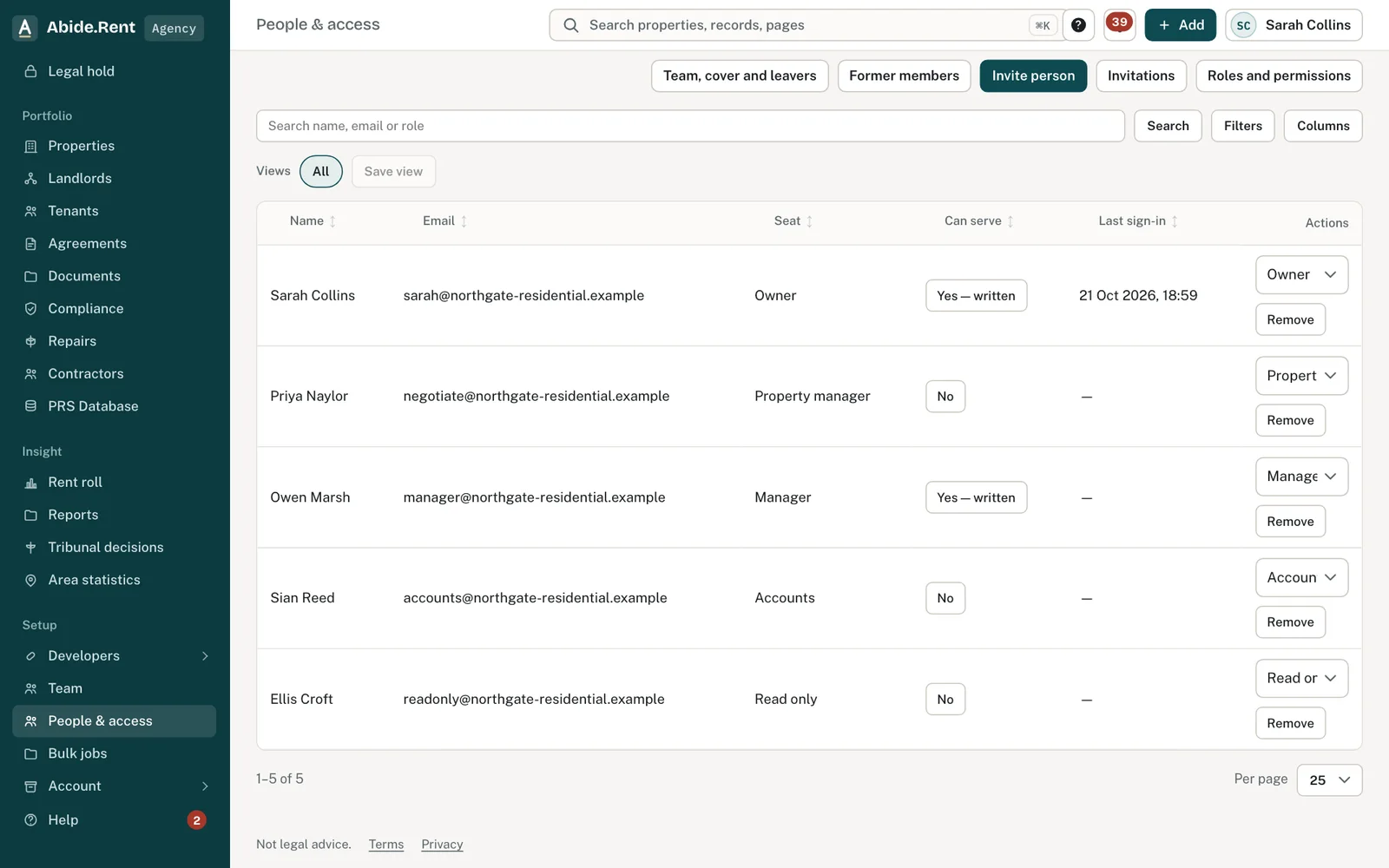
People & access: seats and who can serve notices.
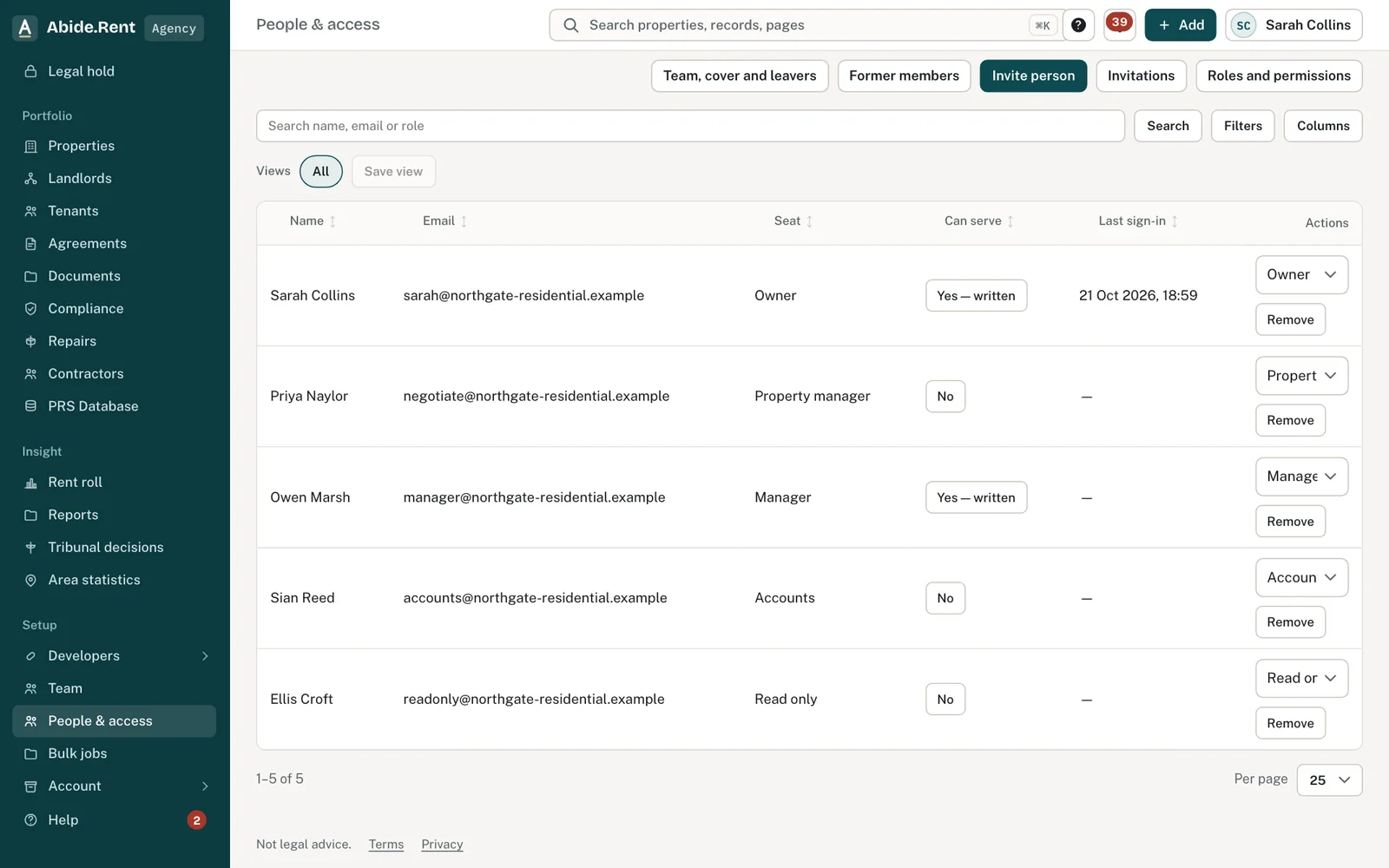
Permissions by role.
What you are deciding
Which seat each colleague needs, and who may serve notices.
Your options
- Owner. Everything, including business details, billing and integrations. Only an owner can invite another owner.
- Manager. Works on properties, tenancies, rent reviews and notices, can serve notices, invites people and sees the audit log.
- Property manager. Looks after properties, tenancies, rent reviews and notices, but does not serve notices and does not see the rent roll.
- Accounts. Sees properties and the rent roll and looks after billing. Does not change tenancies or prepare notices.
- Read only. Sees properties and the rent roll. Changes nothing.
How to do it
- Open People & access.
- Find the colleague and choose their seat.
- For an owner or a manager, choose whether they may serve notices.
- Save. The change applies the next time they open a page.
A worked example
Fern Lettings has six people. The director is the owner. Two branch managers hold manager seats and may serve notices. Two negotiators prepare rent reviews and generate Form 4A notices; when one is ready, a manager signs and serves it. The bookkeeper holds the accounts seat: she updates the card and downloads invoices but cannot change a tenancy. A trainee joins on Monday 12 October 2026 on a read only seat for his first fortnight.
What Abide.Rent does for you
- Hides the controls a seat cannot use, and refuses the action if it is tried another way.
- Records who served each notice, by name.
- Keeps tenant contact details from seats that do not work on tenancies.
If something goes wrong
- “Only an owner can invite another owner.”
What to do: Ask an owner to send the invitation. - Someone cannot record service
What to do: Their seat does not allow serving. Change Can serve under People & access. - “Only an owner or manager can see former team members.”
What to do: Ask an owner or manager.
Common mistakes
- Giving everyone an owner seat. An owner can change billing and business details.
- Expecting a negotiator to serve a notice. Serving needs an owner or a manager with permission to serve.
- Removing the only owner. An account always needs one.
What to do next
More in People and access
 Who can see whatAn agency sees the properties it manages, a landlord sees their own, and a tenant sees their own tenancy. Each page shows who has access.
 Landlord and tenant at the same timeOne person can be a tenant at one address and a landlord at another. The roles are kept apart, and each side sees only its own.
 Invite a landlord, a tenant or a colleagueSend an email invitation so a landlord, tenant or colleague can sign in and see the records that concern them.