Who can see what
An agency sees the properties it manages, a landlord sees their own, and a tenant sees their own tenancy. Each page shows who has access.
- Reviewed
- Read
- 2 min
Access follows each person's part in a property, not the account they happen to use.
Who this is for: letting agencies, landlords and tenants.
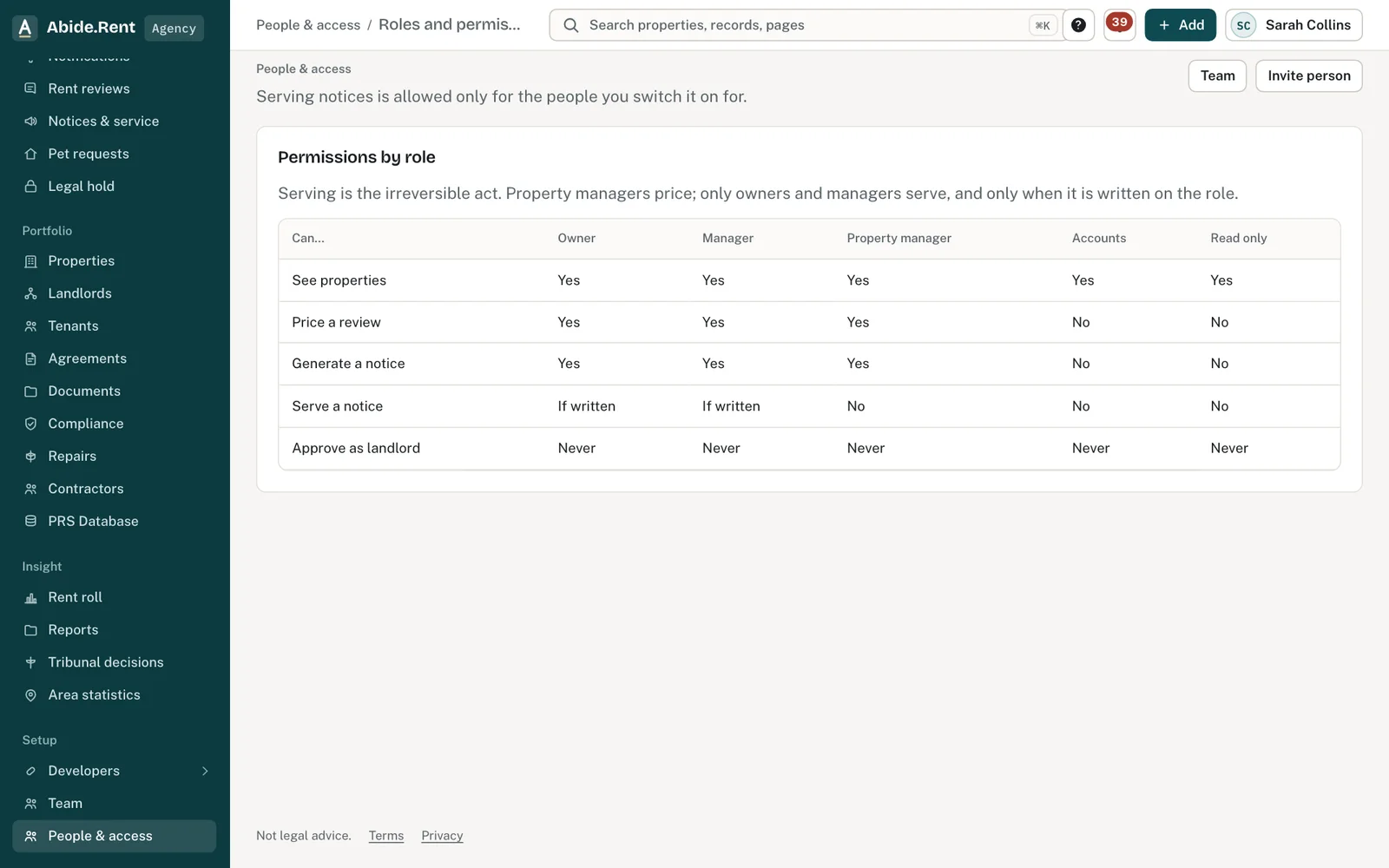
Permissions by role.
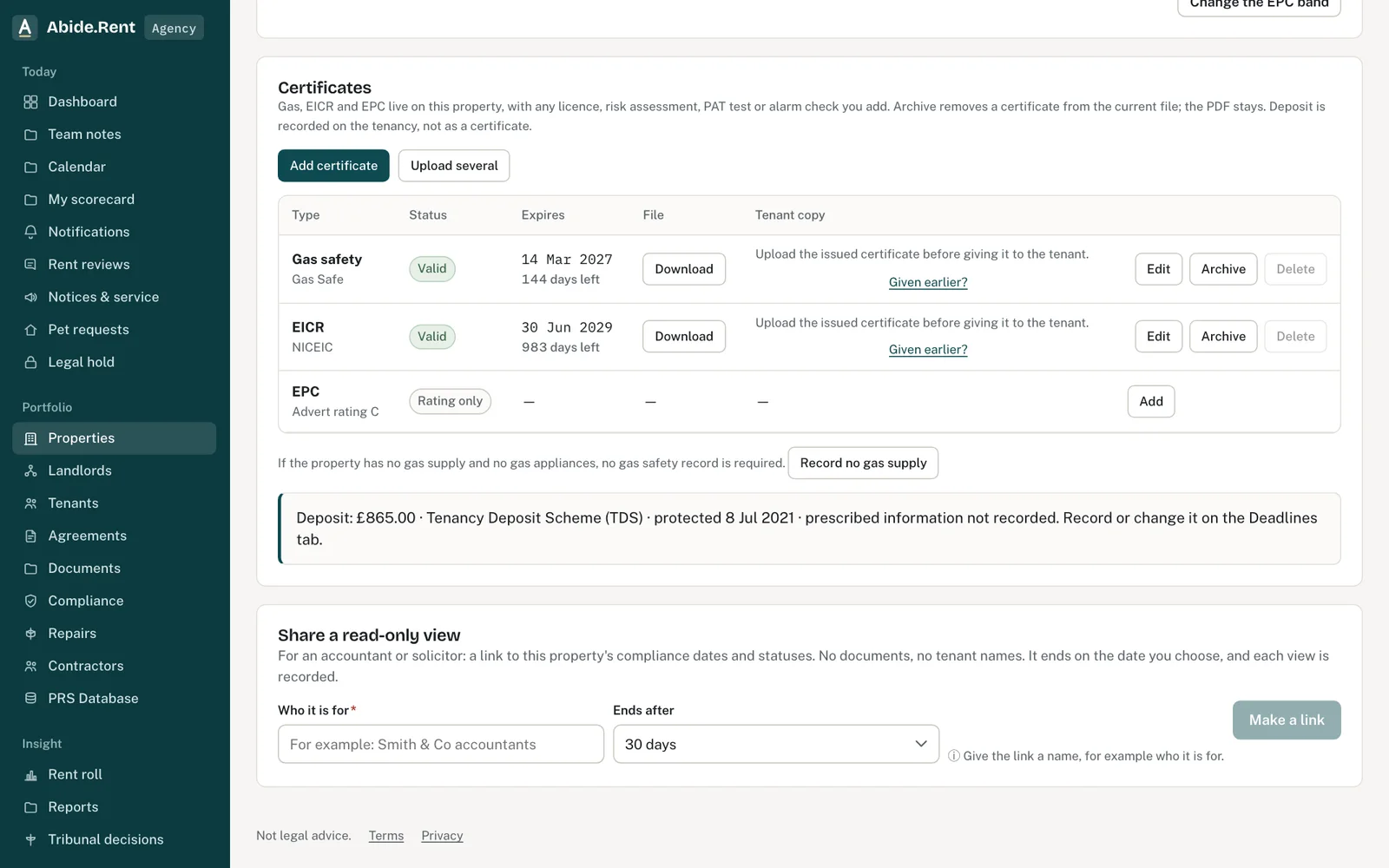
Share a read-only view: who it is for and when it ends.
What you are deciding
Whether the right people, and only the right people, can see a property or a tenancy.
Your options
- Leave access as it is. Everyone listed keeps the view their role gives them.
- Invite someone. They get the view their role gives them and nothing wider.
- Remove a colleague. The account owner can end a colleague's seat from People & access. Documents already issued to anyone stay theirs.
What each person sees
- A letting agency sees the properties it manages, with their tenancies, certificates, rent reviews and notices.
- A landlord sees their own properties, whoever manages them, and nothing else an agency holds.
- A tenant sees their own tenancies, including past ones, and nothing about any other tenant or property.
- A notice in draft is not shown to the tenant. It appears on their tenancy once service has been recorded.
Your copies are yours
Documents already issued cannot be taken back. Each party keeps their own copy if the property changes agent, the tenant moves out or an account closes.
A worked example
Nia rents 12 Market Street through Fern Lettings, for a landlord called Helen. Under Who can see this, Nia sees three entries: herself, Helen as landlord, and Fern Lettings as the agent. Helen sees 12 Market Street and her two other properties, but none of the other 39 properties Fern Lettings manages. On Friday 9 October 2026 Fern Lettings prepares a rent increase notice; Nia does not see it until it is served on Monday 2 November 2026.
What Abide.Rent does for you
- Lists everyone with access to a property or a tenancy on its own page.
- Answers a link to a record you cannot see as not found, without showing anything about it.
- Keeps each party's copy of an issued document.
If something goes wrong
- “That access is no longer available”
What to do: The person's access was removed or has ended. Ask an owner to invite them again. - “The end date cannot be in the past. Revoke the access to end it today.”
What to do: Revoke the link instead. - “This link has ended or does not exist.”
What to do: The read-only link has expired. Make a new one.
Common mistakes
- Sharing a sign-in so a colleague can see something. Invite them; then their actions are recorded in their own name.
- Assuming a landlord can see your whole portfolio. They see their own properties only.
What to do next
More in People and access
 Landlord and tenant at the same timeOne person can be a tenant at one address and a landlord at another. The roles are kept apart, and each side sees only its own.
 Team seats and what each can doFive seats: owner, manager, negotiator, accounts and read only. The seat decides what a colleague can change, serve and see.
 Invite a landlord, a tenant or a colleagueSend an email invitation so a landlord, tenant or colleague can sign in and see the records that concern them.