Invite a landlord, a tenant or a colleague
Send an email invitation so a landlord, tenant or colleague can sign in and see the records that concern them.
- Reviewed
- Read
- 3 min
Everyone signs in with their own email address. Nobody shares a password, and each person sees only what concerns them.
Who this is for: letting agencies and landlords.
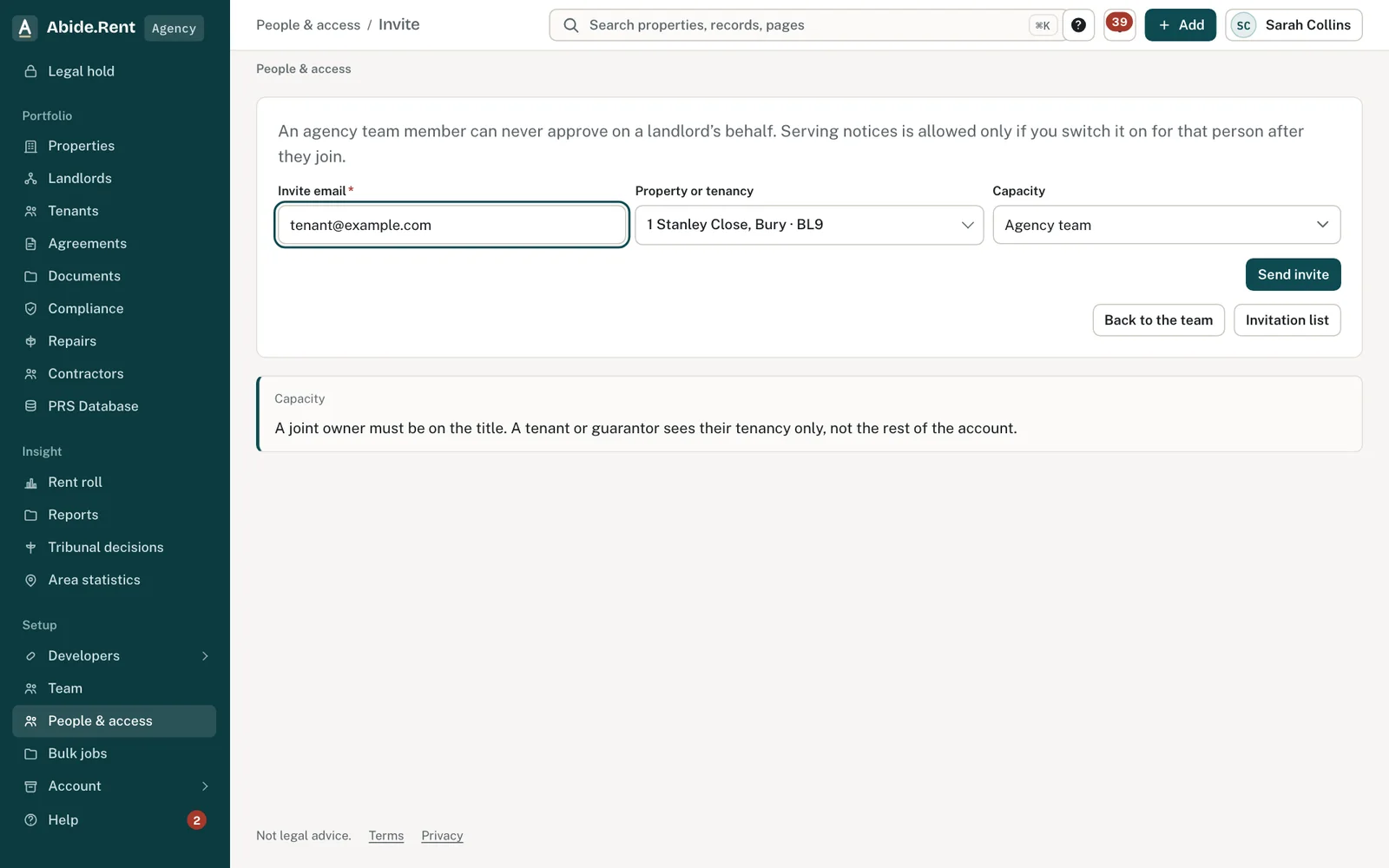
Invite: email, the property or tenancy, and whether they are a tenant, landlord or colleague.
What you are deciding
Who to invite, to what, and in which role.
Your options
- A colleague. Joins your agency on a seat you choose. They see the agency's properties, within what the seat allows.
- A landlord. Sees their own properties and nothing else of yours, and can approve rent reviews when you ask.
- A tenant, joint tenant or guarantor. Sees the one tenancy they are invited to. Tenant access is always free.
- Your letting agent (if you are a landlord). They join as an agency and the properties they manage for you appear on your account once they add them.
How to do it
- Select Add at the top of any page, then Invite someone.
- Enter their email address.
- Choose the property or tenancy the invitation is for.
- Choose what they are: a colleague in your agency, a landlord, a joint tenant, a permitted occupier or a guarantor.
- Send the invitation. They receive an email with a link, choose a password, accept the terms and are taken to a short welcome for their role.
Invite as you add a property
When you add a property and enter the landlord's or the tenant's email address, they are invited automatically. You do not need to do anything else.
A worked example
On Monday 5 October 2026 an agency owner invites a new negotiator and, for 12 Market Street, the landlord. Both invitations last 14 days, to Monday 19 October 2026. The negotiator accepts on Tuesday and lands on a welcome screen that confirms their details, not the agency's set-up. The landlord has not accepted by Friday; the owner sees the invitation still waiting under Invitations and sends a reminder.
What Abide.Rent does for you
- Ties each invitation to the email address it was sent to, so nobody else can use it.
- Shows which invitations are still waiting, and lets you cancel one.
- Tells you when an invitation is accepted.
If something goes wrong
- “Enter the email address to invite.”
What to do: Type the person's email. - “That kind of invitation cannot be sent from this workspace.”
What to do: Landlords and tenants are invited from the agency or landlord account that holds the property. - “This invitation has expired. Ask for a new one.”
What to do: Resend from People & access → Invitations. Invitations last 14 days. - “This invitation link is not valid. Use the link in the most recent email.”
What to do: Only the newest invitation link works. - The invitation email does not arrive
What to do: Check the address, and ask them to check spam. Resend from Invitations.
Common mistakes
- Inviting a landlord as a colleague. A colleague sees every property the agency manages.
- Sending an invitation to a shared mailbox. Each person needs their own address.
- Expecting a tenant to appear before a tenancy exists. Add the tenancy first.
What to do next
More in People and access
 Notes and @mentions on any recordWrite a note on a property, notice, rent review, agreement, landlord or tenant, and type @ to tell a colleague or the landlord.
 What your landlord sees: the activity feedA landlord's home page lists what was done on their properties in the last 30 days, and by whom: notices, safety records, deposits, repairs, inspections and registrations.
 Notifications and which ones you can switch offChoose which emails and reminders you get. Statutory messages, such as a notice served on you, cannot be switched off.