When the landlord approves a rent review
Where the agreement asks for it, the landlord approves or declines the proposed rent before a notice is generated.
- Reviewed
- Read
- 2 min
The notice is in the landlord's name, so the figure is theirs to approve. Whether approval is needed is set for each property with its service level.
Who this is for: letting agencies and landlords.
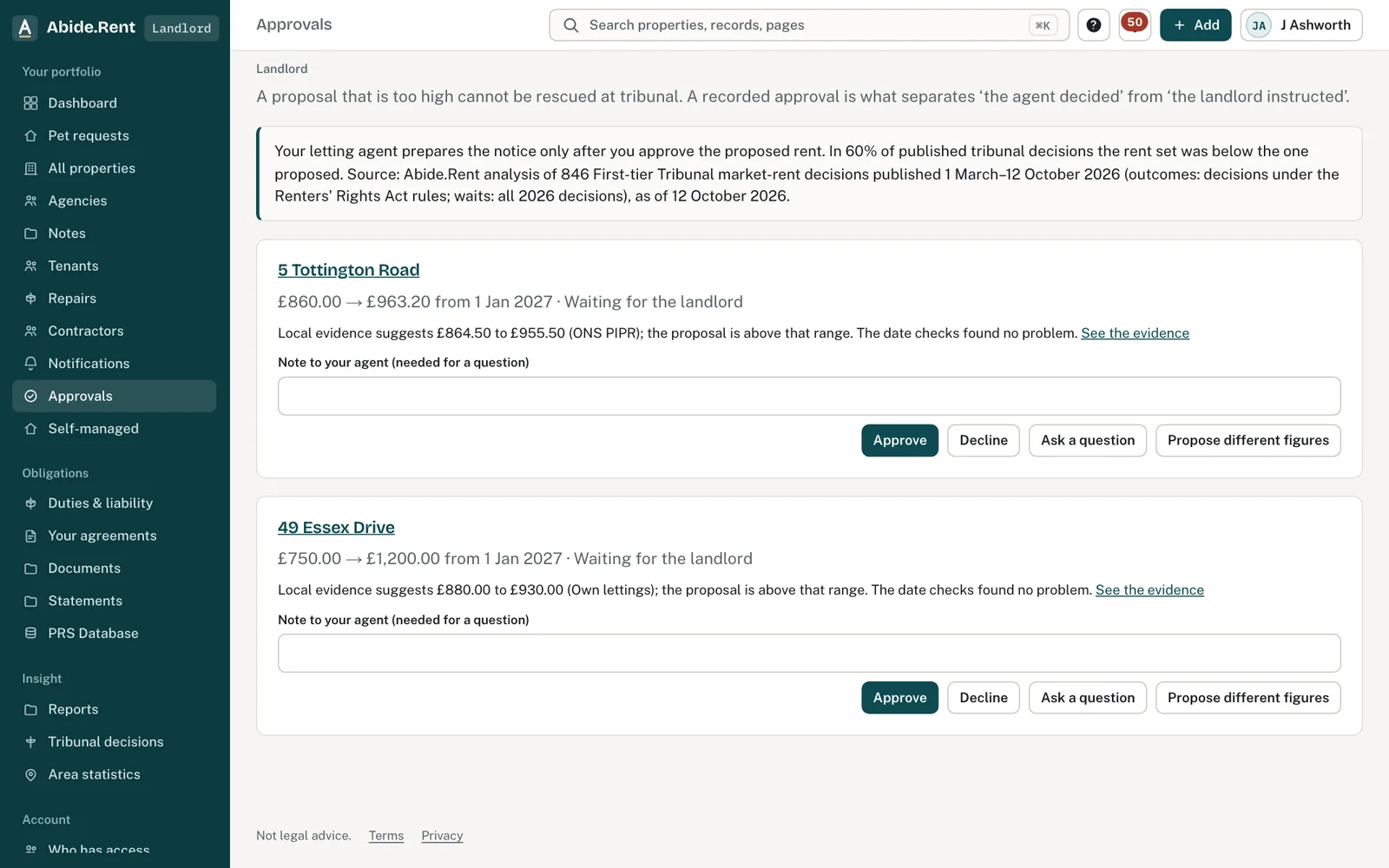
Approvals waiting: each with the evidence and your options.
What you are deciding
If you are the landlord: whether to approve the figure, decline it, or ask your agent to change it.
Your options
- Approve. Your agent can generate Form 4A with exactly the rent you approved. You are told when it is served.
- Decline. No notice is generated. Your agent is told and can propose a different figure.
- Do nothing. The review waits. No notice can be generated for a property that needs your approval until you answer.
How to do it
- The agent prices the review and sends it for approval.
- The landlord receives an email and sees the review under Approvals.
- The landlord opens it, reads the figure, the start date and the evidence, and approves or declines.
- The agent is told. An approved review can go on to the notice.
A worked example
Fern Lettings sends Helen a review on Tuesday 27 October 2026: £1,250.00 to £1,325.00 a month, 6% more, starting Monday 1 February 2027, with three achieved rents beside it. Helen approves on Friday 30 October 2026 at 08:15. The review now shows who approved it and when, and the Form 4A generated on Monday 2 November 2026 carries £1,325.00, the figure she approved.
What Abide.Rent does for you
- Shows the landlord the figure, the date and the evidence on one page.
- Records who approved or declined, and when.
- Uses the approved rent in the notice, so it cannot differ from what was approved.
If something goes wrong
- “Only the landlord on the title, or a director of a company on the title, can decide this proposal.”
What to do: Sign in as the landlord on the title, or ask them. - “Give the rent you would agree, or a different start date.”
What to do: When proposing different figures, give one of them. - “These are the figures already proposed. Approve the proposal instead.”
What to do: Approve, since the figures are the same.
Common mistakes
- Approving by phone or email and not here. The review still waits.
- Changing the figure after approval. A changed figure needs approving again.
- Leaving an approval until after the date you hoped to serve. Every day of delay moves the earliest start date.
What to do next
More in Rent reviews
 A rent increase from start to finishThe whole path of a rent increase: the figure, the landlord's approval, Form 4A, service, the tenant's reply and, if it comes to it, the tribunal.
 Comparable lettings: the evidence that wins at the tribunalThe tribunal sets the rent from lettings of similar homes nearby. Achieved rents count far more than asking rents; three strong lettings make a case.
 Condition and improvements: what the tribunal disregards (s.14(2))The tribunal values the home as it is let, but ignores the tenant's own improvements and any damage the tenant caused. Record both on the review.