Bringing properties across from other software
Export a spreadsheet from your current system and import it, or send it to us and we import it for you, free.
- Reviewed
- Audience
- Agents
- Read
- 2 min
Bring properties across with a spreadsheet exported from your current system. If your records are spread across systems, spreadsheets or folders, the Abide.Rent team imports them for you at no cost: see Migrating your records to Abide.Rent.
Who this is for: letting agencies.
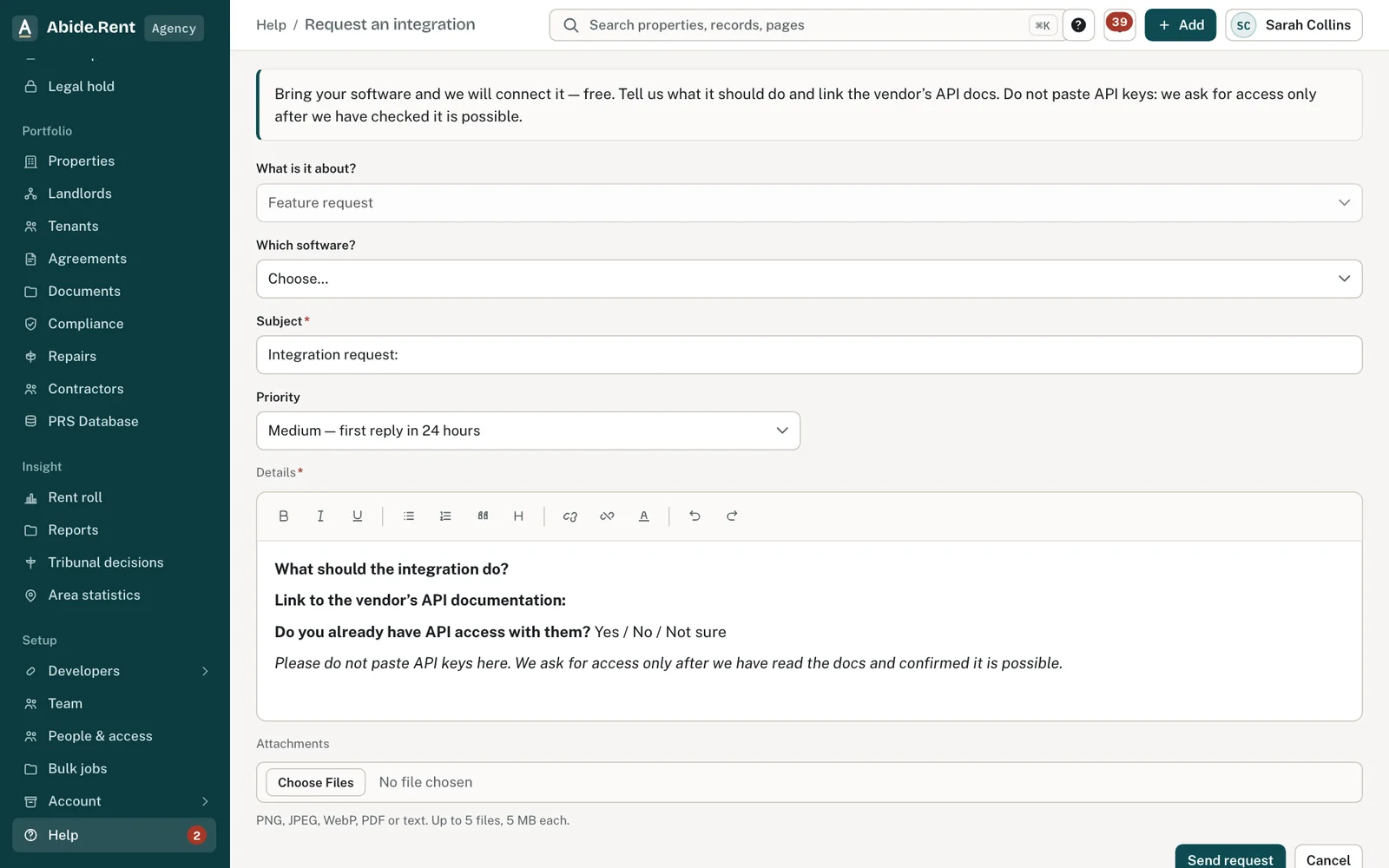
Request an integration: the software and what it should do. No keys.
What you are deciding
How to move your records across, and whether to wait for a direct connection.
Your options
- Export and import now. Your records are here today. There is no single data standard for lettings in the UK, so the import lets you match your columns to ours.
- Use the API. If you have a developer, an API key lets your own systems create and read records. Serving a notice stays in the app.
- Wait for a connection. Tell us which system you use. It helps decide what is built first, but there is no date to plan around.
How to do it
- In your current software, export your properties to a CSV or Excel file. Include the address, the postcode and, if you can, the rent, the tenancy start date and the landlord.
- In Abide.Rent, select Add, then Import properties.
- Match the columns and run the import.
A worked example
An agency moving 210 properties exports them on Monday 5 October 2026. Its file has 31 columns; it matches nine and ignores the rest. The import takes a few minutes and reports 204 imported and six left out for missing postcodes. The agency fixes those six by hand. It keeps its old system for rent collection and uses Abide.Rent for compliance dates, rent reviews and notices.
What Abide.Rent does for you
- Imports CSV and Excel files with your own column names.
- Updates a property that is already here instead of duplicating it.
- Offers API keys for your own integrations.
If something goes wrong
- No connector for your software
What to do: Request one from Help → Request an integration; we build them free. - You were asked for an API key on the form
What to do: Never paste keys. Link the vendor's API documentation instead.
Common mistakes
- Waiting for a connection that has no date. A spreadsheet works today.
- Exporting without the tenancy start date. Rent review dates depend on it.
What to do next
More in Integrations and API
 API keysCreate a key to use the Abide.Rent API. Each key is shown once, has scopes, and can be deactivated or deleted.
 Connect Claude, ChatGPT or Cursor (MCP)Let an AI assistant work in one Abide.Rent account with your permissions: read only, or read and make changes. You sign in and choose; remove it any time. Serving a notice is never a tool.
 Migrating your records to Abide.Rent: we do it for you, freeSwitching from another system, spreadsheets or folders of documents? Send us what you have and we import it and set you up, at no cost.