API keys
Create a key to use the Abide.Rent API. Each key is shown once, has scopes, and can be deactivated or deleted.
- Reviewed
- Audience
- Agents
- Read
- 2 min
The API is the same one the app uses. A key acts for the account that created it, within the scopes you give it. API keys are on Portfolio and the free trial; on Solo, the free plan, keys stop working until you upgrade.
Who this is for: letting agencies.
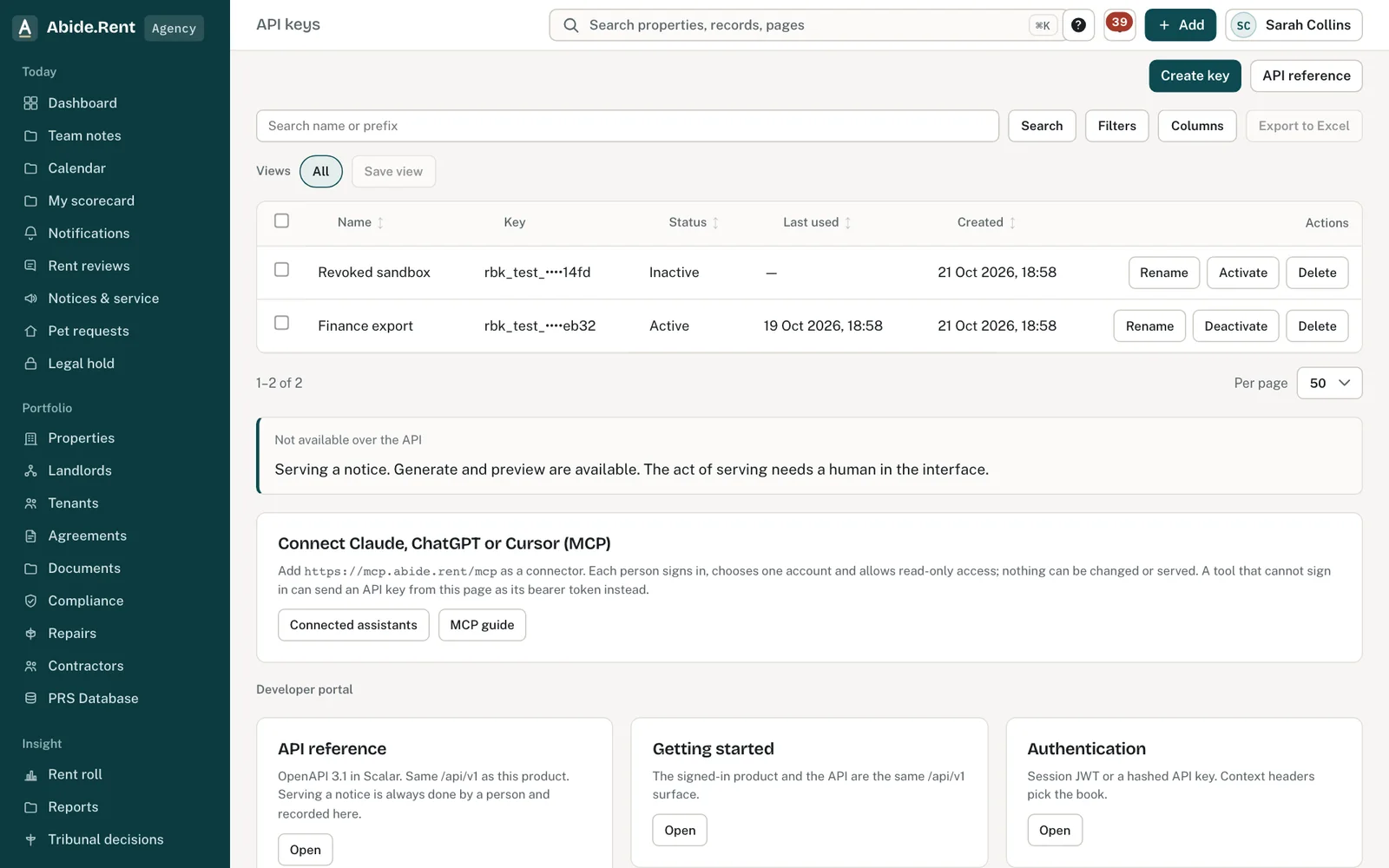
API keys: create, rename, deactivate. Links to the reference and guides.
What you are deciding
What the key needs to do, and who will hold it.
Your options
- Create a key. Name it after the system that will use it, and choose read-only or read and write.
- Deactivate. Stops it working; you can activate it again.
- Delete. Removes it for good. Use this for a key that may have leaked.
How to do it
- Open Developers → API keys in the Setup part of the menu.
- Select Create key, name it and choose read-only or read and write. No key can manage seats, billing, invitations or other keys.
- Copy the key straight away: it is shown once. Live keys start abk_live_.
- Store it in your other system's secrets, not in an email or a ticket.
- Use Deactivate or Delete from the list when it is no longer needed.
What the API will not do
Serving a notice is never an API action: a person records service in Abide.Rent. Outbound webhooks are not available yet.
A worked example
On 3 November 2026 Northgate Residential creates a read-only key called "Lettings CRM sync" for its lettings CRM. The CRM team stores it in their secrets manager. In January they rotate it: create a new key, switch over, delete the old one.
What Abide.Rent does for you
- Shows a key once.
- Records when each key was last used.
- Refuses calls outside a key's scopes.
If something goes wrong
- “API key is not recognised”
What to do: Check the key was copied in full. - “API key has been revoked”
What to do: Create a new key. - “This API key's scopes do not allow this.”
What to do: Create a key with the scope you need. - “Bulk actions are started from the app, not with an API key.”
What to do: Run bulk actions in Abide.Rent itself.
Common mistakes
- Pasting a key into a support ticket or email. We never need it.
What to do next
More in Integrations and API
 Bringing properties across from other softwareExport a spreadsheet from your current system and import it, or send it to us and we import it for you, free.
 Connect Claude, ChatGPT or Cursor (MCP)Let an AI assistant work in one Abide.Rent account with your permissions: read only, or read and make changes. You sign in and choose; remove it any time. Serving a notice is never a tool.
 Migrating your records to Abide.Rent: we do it for you, freeSwitching from another system, spreadsheets or folders of documents? Send us what you have and we import it and set you up, at no cost.