A repair, from the tenant's report to the fix
How a repair moves between the tenant, the agency, the landlord and the contractor, with the response targets and visit notices.
- Reviewed
- Read
- 3 min
Repairs follow the same path whoever reports them. This guide shows each step and who takes it.
Who this is for: letting agencies, landlords and tenants.
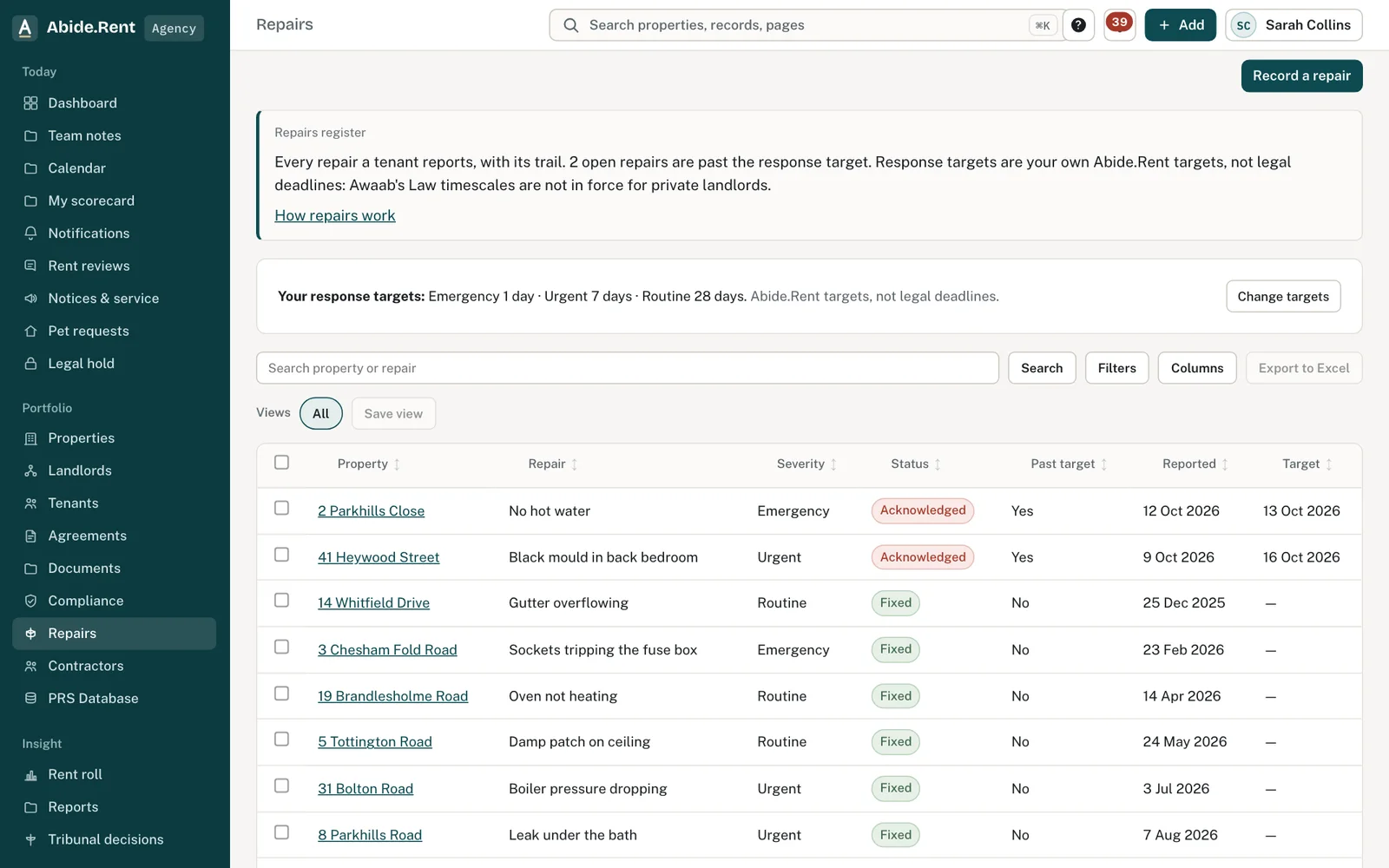
Repairs: from the tenant's report to the contractor's job and the tenant's answer.
What you are deciding
How urgent a repair is, who pays for it, and whether it is fixed.
Your options
- Emergency. A target of 24 hours by default. Visits can be made at short notice.
- Urgent. A target of 7 days by default.
- Routine. A target of 28 days by default.
The targets are Abide.Rent's defaults, which each account can change. They are not legal deadlines. The landlord's repairing duty itself comes from the Landlord and Tenant Act 1985 s.11.
The journey at a glance
| Step | Who | What Abide.Rent does |
|---|---|---|
| Report the repair, with photos | Tenant (or staff, for a call) | Sets the target date from the urgency |
| Decide what to do; send to a contractor | Landlord side | Sends the contractor a job link |
| Approve the cost if it is above the landlord's spend limit | Landlord | Holds the job until approved |
| Book the visit | Contractor or landlord side | Gives the tenant at least 24 hours' notice in writing, except in an emergency |
| Do the work and upload photos or an invoice | Contractor | Records it on the job |
| Is it fixed? | Tenant | Closes the repair, or reopens it if not |
What each party does
Letting agency or landlord
- Check the report and its urgency. Change the urgency if needed; the target moves with it.
- Send a job to a contractor, within the landlord's spend limit, or ask the landlord to approve.
- On a let-only or rent collection service the landlord arranges repairs; on a fully managed service the agency does and the landlord is told.
Tenant
- Report the repair in your portal under Repairs, with photos.
- You are told when a visit is booked, moved or cancelled.
- When the work is done you are asked whether it is fixed. Say no if it is not: the repair reopens.
When Abide.Rent reminds whom
- Repairs past their target are checked each morning at 8:20am every day, and the landlord side is told.
- On a fully managed service the landlord is told of each repair, its completion and its cost.
A worked example
On Monday 7 December 2026 at 6pm a tenant reports that the boiler has stopped. Her agent marks it urgent, so the target is Monday 14 December. The quote is £180.00, within the landlord's spend limit of £250.00, so it goes straight to the contractor. The visit is booked for Wednesday 9 December 2026 and the tenant is told on Tuesday 8 December. The boiler is fixed that day, the contractor uploads the invoice, and on Thursday 10 December the tenant confirms it is fixed.
What Abide.Rent does for you
- Sets and moves the target date from the urgency.
- Gives the tenant written notice of visits, and tells the contractor when a visit moves.
- Asks the tenant whether it is fixed before closing the repair.
If something goes wrong
- The contractor cannot see the job
What to do: Send the job link again from the job. A cancelled job's link stops working. - The repair closed but is not fixed
What to do: The tenant can say it is not fixed when asked, which reopens it. Staff can reopen it too.
Common mistakes
- Closing a repair before the tenant confirms it is fixed.
- Sending a job above the landlord's spend limit without approval.
What to do next
More in How it works
 A new tenancy, from holding deposit to day 30Every step before and just after a tenant moves in: what the agency or landlord does, what the tenant gets, and the legal date for each.
 A pet request, from asking to the written answerThe tenant asks, the landlord side answers in writing within 28 days, or asks for more information first.
 A tenant leaving: notice, move-out and the depositFrom the tenant's notice to the deposit being returned: the dates, who does what, and the reminders.